LinkedIn Post Ideas: 30 Starting Points for Six Situations, With Example Openings
LinkedIn post ideas for six situations: 30 starting points with example openings, the official format limits, and a notes method so the list never runs dry.

The best LinkedIn post ideas are already in your work week: a question someone asked you, a mistake, a number, a decision, a thing you learned. This guide turns those five sources into 30 starting points for six situations, each with an example opening you can adapt.
A shortage of topics is rarely the problem. The harder part is noticing your own material and matching it to a format. A list of steps, a short question and a demonstration do not belong in the same kind of post.
I work as a Marketing Engineer: Digital since 12, full Marketing since 20. I built this guide from LinkedIn’s own help pages, read line by line, and from the rules I use to decide which ideas deserve a post. Every example opening below is a model I wrote for this guide, not a real post and not a measured result.
Key Takeaways
- Ideas come from five sources. A question you were asked, a mistake, a number, a decision and a thing you learned cover most of a working week.
- One post holds one idea. As of November 2026, LinkedIn’s help page caps a post at 3,000 characters, and a longer method belongs in an article.
- The format follows the idea. Steps fit a document, a demonstration fits a short video, and a short question fits a poll.
- LinkedIn says it wants insight. Its March 2026 announcement promises more posts with ideas people can use and fewer built to collect comments.
- Two to five a week is a suggestion. LinkedIn’s creator page advises 2-5 posts per week and names no best hour.
- An AI draft still needs your check. LinkedIn’s guidance on AI, short for artificial intelligence, says you stay responsible for everything you post.
What Does LinkedIn Say It Wants in the Feed?
LinkedIn says it looks at what a post is about and whether it teaches something. Its help page on feed relevance lists the signals it evaluates for the feed, the stream of posts on your home page. One of them reads “What the post is about and whether it provides knowledge or advice”, which is no promise of reach.

On March 12, 2026, LinkedIn’s announcement on improving the feed went further. It promises “more posts that offer genuine insight, actionable ideas, and thoughtful perspectives” and fewer posts designed to game distribution. It also names engagement bait, meaning posts written only to collect reactions, such as prompts to “comment to agree”.
For post ideas, I read this as a practical hint: a post that explains something from your work fits what LinkedIn says it wants to show. My guide on how the LinkedIn algorithm works covers the ranking side in detail.
Why Post on LinkedIn, and What Does a Company Get From It?
A post shows what you know to people who have not worked with you yet. LinkedIn’s help page on posting and sharing updates says that sharing “helps you build your professional presence, engage with your network, and showcase your expertise”.
For a company, posts come from its LinkedIn Page. LinkedIn’s help page on posting says the people who manage a Page, called super admins and content admins, can share updates from the homepage. The LinkedIn Polls FAQ adds that super admins can create polls.
As of November 2026, LinkedIn’s guide to getting started with posting lists five extra options under the More menu of the post box. They are “Celebrate an occasion”, “Create an event”, “Share that you’re hiring”, “Create a poll” and “Add a document”.
The help pages I read give no figure for the contacts or requests a post will bring, so I would not plan around one. I suggest one test for a company page: say what changed for the customer. For the step from conversations to sales work, see my guide to social selling.
Where Do LinkedIn Post Ideas Come From When You Start From Zero?
They come from five things that already happen in a normal work week: a question you were asked, a mistake, a number, a decision and a thing you learned. I suggest keeping one notes file and adding a line each time one of them happens. Where an example needs a figure, [N] and [M] stand for your real numbers.
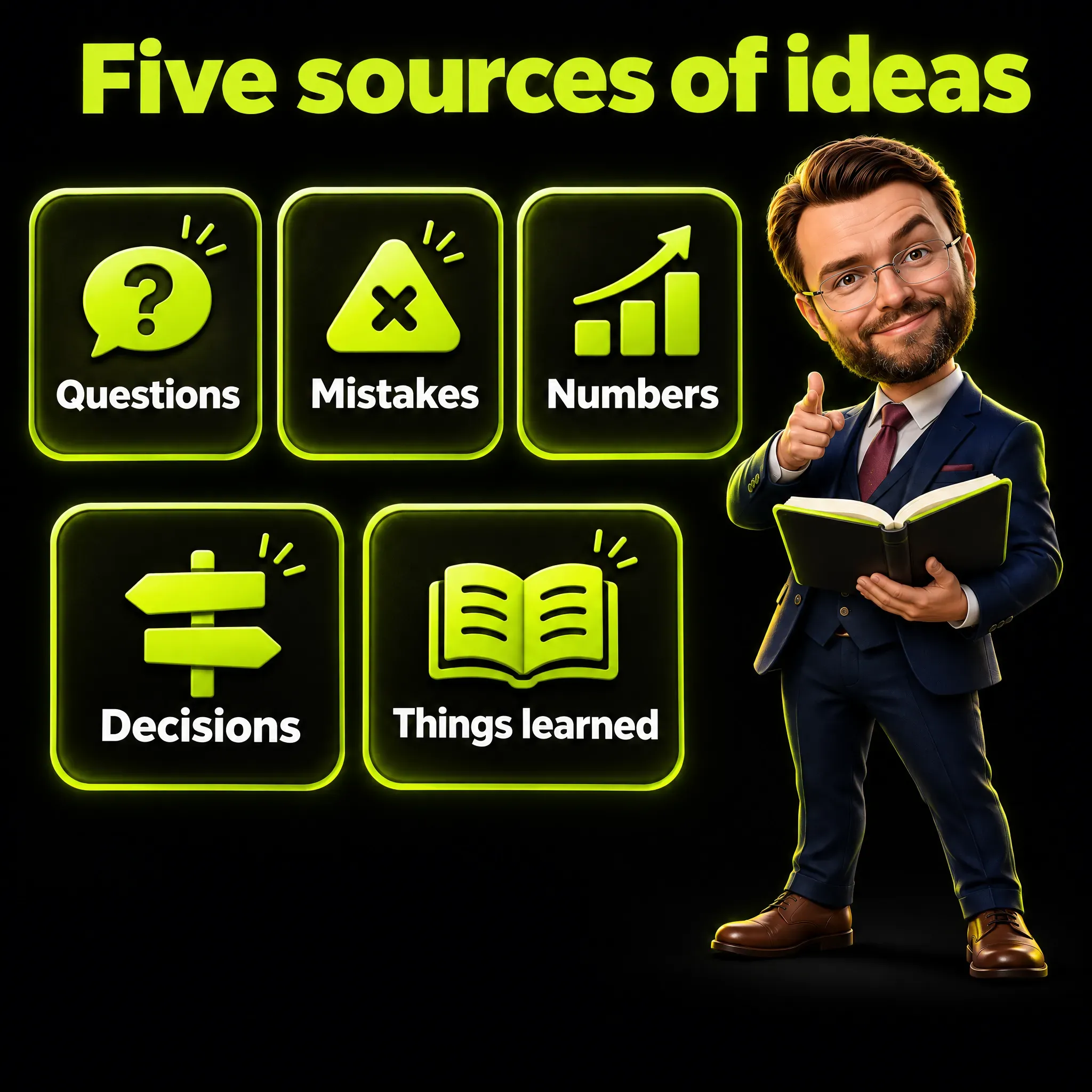
- A question you were asked. Write the question, then your answer in a few lines. Example: Three people asked me the same thing this month: why does our report show two numbers for the same campaign?
- A mistake. Say what went wrong and which habit replaced it. Example: A report without a date range gets misread, so every chart I send starts with the period it covers.
- A number. Give one number, where it comes from and what you do with it. Example: [N] people opened our price page last month and [M] wrote to us, so the price page is where I look first.
- A decision. Name the options, the reason and the rule you keep. Example: We paused a campaign for a week because the page people reach from the ad was slow.
- A thing you learned. Say what you believed before and what you know now. Example: Learned today: a LinkedIn poll question stops at 140 characters and an option at 30.
Once a week, pick the lines worth a post. LinkedIn’s page for creators advises 2-5 posts per week, so a few lines are enough.
Marketing consultant Lilach Bullock makes the same point in her post on where to find content ideas: “The honest issue isn’t a lack of ideas. It’s that nobody wrote them down when they had them”. It is one consultant’s opinion, and it moves the problem from inspiration to note-taking.
Before a line becomes a draft, I check three things: it carries one lesson, any number in it is clear, and it names no client.
What to Post on LinkedIn When You Are Looking for a Job?
Post proof of how you work: a small project told in steps, a thank-you that carries a lesson, an interview question turned into advice. I would avoid posts that only say you are available, because they show the need and not the skill.
- The project that explains your job. One problem, three steps and the lesson. Example: I cut a monthly report from six pages to one by asking the reader which number they use.
- The thank-you with a lesson. Who taught you, what you learned and where you still use it. Example: My first manager taught me to put the conclusion in the first line of an email, and I still do.
- The interview question turned into advice. The question, a weak answer and a better one. Example: Asked for my biggest weakness, I now name a real gap and what I am doing about it this month.
- The how-I-work document. A cover with a promise, then one step per page. Example: How I plan a campaign in 5 steps: goal, audience, message, channel, check.
- The change of field. Where you come from, what carries over and what you still need. Example: I am moving from retail to marketing data, and the habit of reading sales numbers every week comes with me.
What to Post When You Sell a Service or Work as a Consultant?
Post the questions clients ask, the mistakes you see repeated and the news that affects them, with every identifying detail removed. A client story works without the name: keep the shape of the problem and the reasoning, and drop anything that points to a real company. The openings below are models I wrote for this guide, not stories from my clients.

- The client question, without the client. The question, the short answer and what it depends on. Example: A founder asked me whether to pay for ads first or work on Google results first, and my answer depended on cash, not on taste.
- The mistake you see repeated. The mistake, why it looks harmless and the fix. Example: A common mistake on small business websites: three different phone numbers on three pages.
- Before and after. Two versions side by side and one line of explanation. Example: Before: We offer innovative solutions. After: We repair industrial printers in 24 hours.
- The news, translated. One change, what it means for a small company and what to do this week. Example: LinkedIn says its feed will show fewer comment-bait posts, so here is what I would change on a company page this month.
- The industry myth. What everyone says, what the source shows and what to do. Example: Everyone says post at 9 am, and no LinkedIn help page sets that rule.
What to Post When You Lead a Marketing Team?
Post how the team decides and what it learned: a number with its explanation, the week in three lines, an experiment and its result. Company news such as a launch or an open role fits the same pattern when it says what changed for the customer.
- The number explained. One number, how it was counted and what it changes. Example: [N] requests came in and [M] were a real fit, counted with one rule: the person answered our two-question form.
- The week in three lines. Done, blocked, next. Example: Done: the new product page is live. Blocked: photos arrive Friday. Next: test two headlines. A note like this shows the whole team what is stuck.
- The budget as a story. Where the money goes, what works and what gets cut. Example: Our marketing budget has four parts, and [N]% goes to the one channel we can follow from click to request.
- An experiment and its result. The guess, the change and the result. Example: Our guess was that a shorter form gets more requests, so we went from five fields to three and requests went from [N] to [M] a week.
- The team poll. One short question and two to four options. Example: What slows your campaign launches most? Approvals, Creative, Measurement or Budget.
What to Post When You Run a Small Business?
Post the working day and the questions customers ask you at the counter or on the phone. A photo of the loaded van, an honest answer about price and a short video about one part are enough to start. The five ideas below need nothing more than a phone.
- A day in the shop. A photo, what happens today and what you learned. Example: 7:30, the van is loaded: two installations and one repair today.
- The question you hear every day. The question, your answer and one piece of advice. Example: Can you do it cheaper? Yes, if we remove the part that makes it last.
- The product explained. A short video about one thing, with captions on. Example: This is the one part we replace on every repair, and here is what it does.
- The happy customer, without the name. The problem, the solution and the result, shared with permission. Example: A customer needed their shop ready before a holiday, and we finished two days early.
- The pricing mistake you fixed. The mistake, how you noticed and what you changed. Example: I used to price a service by the hour, and customers compared me to the cheapest offer.
What to Post When Your Work Is Technical?
Translate one piece of technical work into everyday words: what people saw, what caused it and what fixed it. I write for readers who are not technical, so my own drafts go easy on technical terms and explain every acronym. The five ideas below follow the same habit.
- The error in plain words. What people saw, the cause and the fix. Example: The form worked on my phone and not on yours, because one field name had changed.
- The tool and what it replaces. The work before, the work after and the limit. Example: A small program now renames [N] files in a minute, a job I used to do by hand on Fridays.
- AI as a tool, with a check. What you asked, what it got wrong and how you checked. Example: I asked an AI to draft a checklist, and it invented one step.
- The process in four boxes. Four boxes, three arrows and one sentence. Example: Idea, draft, check, publish: the check is where the time goes.
- What you chose not to build. The request, the cost and the alternative. Example: Someone asked for a custom reporting tool, and a shared spreadsheet did the same job.
Which Format Fits Which Idea, and What Are the Official Limits?
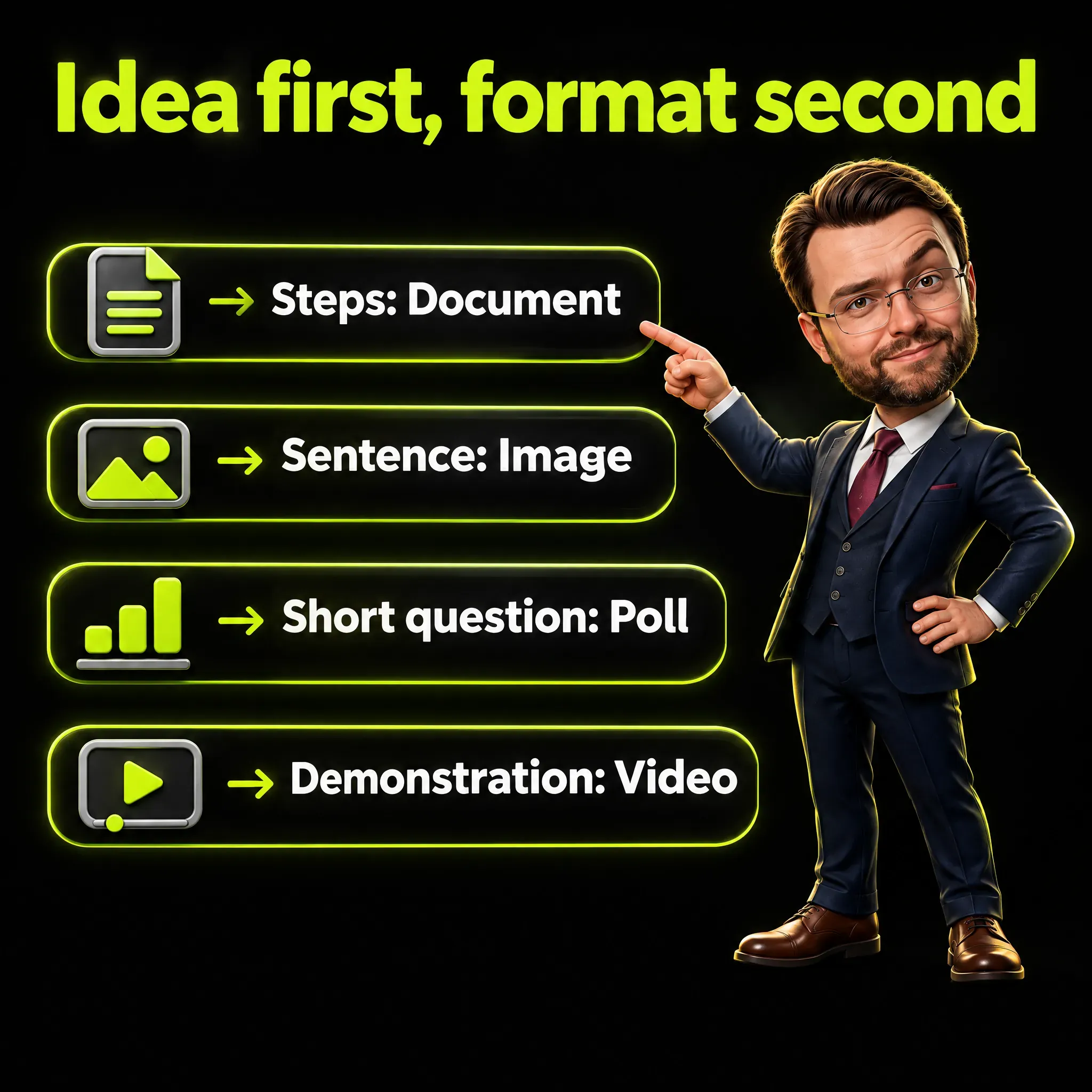
I suggest picking the idea first and the format second. Steps fit a document, one strong sentence fits an image, a short question fits a poll, and a demonstration fits a short video. The table shows the limits that LinkedIn’s help pages state for each format as of November 2026.
| Format | Limit stated by LinkedIn | Help page |
|---|---|---|
| Text post | 3,000 characters | Post and share updates |
| Poll | Question 140 characters, option 30 characters, two to four options, up to five in the iOS app | LinkedIn Polls FAQ and Create LinkedIn Polls |
| Document | 100MB and 300 pages, one document per post | Upload and share documents on LinkedIn and Document uploads on LinkedIn FAQ |
| Photos | Up to 20 images per post, 5 MB per upload | Share photos on LinkedIn |
| Video | 15 minutes and 5 GB | Video sharing troubleshooting |
| Article | No character limit stated, not available in the mobile app | Write and publish articles on LinkedIn |
Several of these pages show a last update two or three years back, so I would recheck a limit before relying on it. The photos page adds one rule: a post can carry a web link or an image, “but not both at the same time”.
A document post, a file shown page by page, is the format many people call a carousel, and my LinkedIn carousel guide covers how to build one. When an idea needs a full method, an article or a LinkedIn newsletter holds it better than a post.
LinkedIn’s guide to post types for nonprofits adds two pieces of advice. It says posts with at least one image “typically get two times more comments than those without”, and it suggests videos “between 30 and 60 seconds long”. Neither line comes with a sample or a date, so I read both as advice.
When Is a LinkedIn Poll the Right Choice?
A poll fits when you have one short question that people can answer with a tap. The LinkedIn Polls FAQ sets the size: “poll questions are limited to a maximum 140 characters and options are limited to a maximum of 30 characters”. I would write the question first and use a poll only if it fits.
The number of options depends on which page you read. The Create LinkedIn Polls page says “There is a minimum of two options and a maximum of four options on a poll”. The FAQ says four on desktop and in the Android app and up to five in the iOS app, so I would plan for four.
Two rules apply before you publish. The FAQ answers the editing question with “No, a poll can’t be edited once it’s created”. It also states that “Poll authors may not ask for sensitive data”, a category that includes health, religion and political beliefs.
The Create LinkedIn Polls page sets one week as the default duration, and LinkedIn’s guide for nonprofits lists one day, three days, one week or two weeks. The same guide says “Avoid overusing polls” and adds “It’s best to save them for when you have something good to ask”. None of the pages I read says that polls reach more or fewer people than other posts.
How Do You Share a Win Without Bragging?
Tell the win as a problem that was solved, and leave the reader with something to use. LinkedIn’s creator page has this line in its post inspiration list: “Show how you or your team have tackled challenges and achieved success”. The weight is on how, and a result alone gives the reader nothing to copy.
The post box has an option made for these moments. LinkedIn’s guide for nonprofits says the Celebrate an occasion feature serves to “announce project launches, mark milestones, or welcome new members to the team”.
Before posting a win, I would run one test: remove the result and see what is left. If a method, a lesson or a thank you remains, the post is worth reading. An example opening:
- Our new price list went out this week, and the hardest part was deciding what to leave out.
How Do You Write a LinkedIn Post That Gets Replies?
Open with a first line that gives a reason to keep reading, make one point, and end with a question you want answered. LinkedIn’s creator page lists four elements under the heading “The anatomy of a great post”. I suggest using the four as a checklist for each draft.

The first two are “An engaging hook at the beginning of the post” and “Concise and easy to understand messaging”. The other two are “Personal perspective, story, or unique take” and “Questions to spark conversation”. A hook is a first line that makes the reader want the second one.
LinkedIn’s guide for nonprofits says the same in other words: “Make your first sentence engaging”. Neither it nor the other pages cited here give a character count for the point where a long post gets cut.
I do not read a closing question as engagement bait when you want the answer. LinkedIn’s example of bait is “comment to agree”, and its creator page says: “Include questions and a call to action to promote meaningful conversations on your posts”. A call to action is the closing line that asks the reader for one thing, such as sharing their own case.
An example closing question:
- What is the one number you check first on Monday?
How Many Ideas a Week Do You Need?
LinkedIn gives one number, and it is advice: its creator page says “Aim to publish between 2-5 posts per week”. The same page says “Consistency helps you build community”, and the pages I read name no best day or hour. A rhythm you can keep with real material is the better target.
More is not safer, according to LinkedIn’s help page on posting. When LinkedIn detects “excessive post creation that indicates inauthentic activity, or the use of an automation tool”, it “may limit the visibility of those posts”. The same page says LinkedIn may limit how many posts a member can make in a certain period.
Themes, a calendar and a weekly plan are a subject of their own, which I cover in my LinkedIn content strategy guide. For the hour of the day, see my article on the best time to post on LinkedIn.
How to Decide Which Ideas Are Worth a Post
I suggest a short list of rules, and I show the one I wrote for my own drafts. AI helps with the first version of those drafts, and I choose the idea and sign off the result. I tightened the rules after reading drafts that said too little.
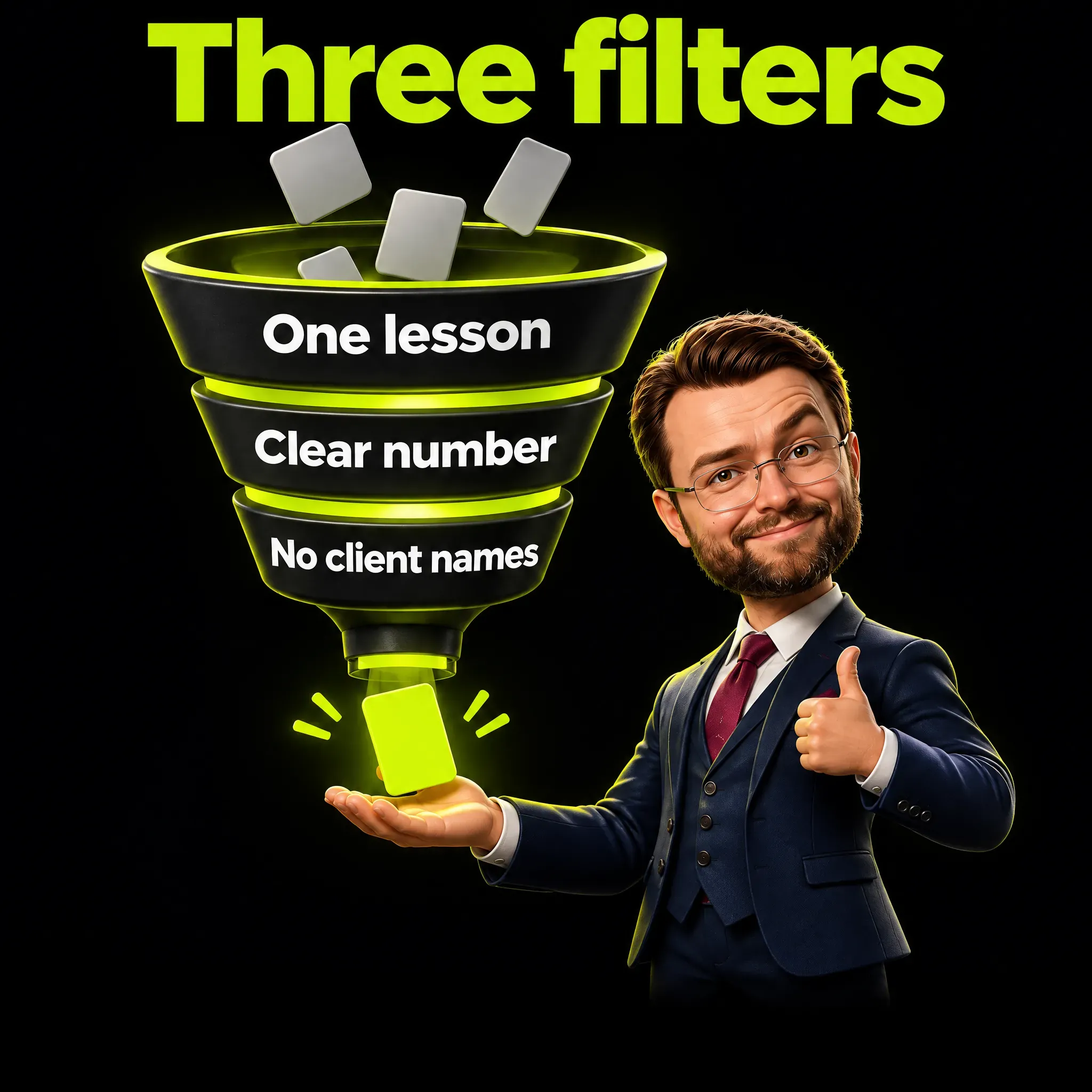
These are the rules I use most. Three of them are the filters from the notes routine: one lesson, a clear number, no client names.
- One lesson, said at once. The reader learns in the first lines what the post teaches.
- Room to explain. A draft needs room for what happened, one number and the case where the advice does not apply.
- A number only when it is clear. If the reader cannot follow how a number was counted, the number goes.
- A promise only if the thing exists. A post that offers a checklist or a guide is written after that checklist exists.
- No client names. Client stories stay anonymous: I remove what identifies and keep the shape of the problem.
- Mistakes with a lesson. A mistake earns a post when the reader can avoid it tomorrow.
They are editing rules for a draft, and they say nothing about reach.
This is also how a borrowed idea becomes yours: you tell it through something that happened in your own work. The creator page gives the reason in one line: “Your unique expertise is what makes you stand out”.
Can You Use AI to Write LinkedIn Posts?
Yes, and LinkedIn says so, with conditions. Its help page on content created with the help of AI states “LinkedIn’s focus is not on how content is created, but whether it adds value”. It also says “You are ultimately responsible for everything you post on LinkedIn”, so the tool can draft and the checking stays with you.
The page is direct about weak output: “Content that feels generic, repetitive, or lacks a clear point of view is less likely to be widely distributed”. It also asks for openness, in these words: “we recommend that you let others know (if it isn’t obvious from the context) if you’ve relied heavily on AI”.
I suggest three steps: start from your own note, let the AI propose a draft, and check every fact against its source. I describe the checking step in human in the loop AI verification.
Frequently Asked Questions
How long can a LinkedIn post be?
Up to 3,000 characters, according to LinkedIn’s help page on posting. If you need more room, the same page points to articles.
What to post on LinkedIn as a beginner?
Start with one question someone asked you this month and answer it in a few lines. A mistake, a number, a decision and a thing you learned are the next four sources.
What are some good examples of LinkedIn posts?
A project told in three steps, a client question answered without the client’s name, a number explained, a day in the shop, an error in plain words. The six lists above give 30 ideas with example openings.
Where can I find LinkedIn content ideas when I have nothing to say?
Open your sent emails and look for the last times you explained something. Marketing consultant Lilach Bullock suggests this search, because those explanations are posts in rough form.
What is the 4-1-1 rule on LinkedIn?
It is a planning habit with more than one version, not a platform requirement. LinkedIn’s marketing blog suggests one to company Pages in an August 2024 article: one post about yourself, one update from another source, four pieces by others. I read it as advice, like the three reposts per original post in LinkedIn’s guide for nonprofits.
How many characters can a LinkedIn poll have?
The question can have up to 140 characters and each option up to 30. A poll cannot be edited after it is created.
Can I schedule LinkedIn posts or save drafts?
Yes. LinkedIn’s help page describes a clock icon in the post box for scheduling, and a draft can be continued later from another device.
How do you write a blog post on LinkedIn?
Use the Write article option on desktop, because LinkedIn’s help page says the feature is not available in the mobile app. The help pages cited here give no character limit for articles.
LinkedIn Post Ideas in Short
LinkedIn post ideas come from your own work week, written down when they happen and matched to the format that fits them. Pick one line from your notes, make it teach one lesson, and check that every promise and every number in it is true.
I write about marketing, AI and the numbers behind them. If this was useful, follow me on LinkedIn.