LinkedIn Newsletter: How to Create One and Why the Subscriber List Is Not Yours
A LinkedIn newsletter gives you invitations and notifications, but no subscriber email addresses. Official steps, limits, analytics and a comparison table.

A LinkedIn newsletter is a series of articles on LinkedIn that members can subscribe to. As of November 2026, LinkedIn’s Help pages say subscribers are notified about each new edition and may also get an email. What the Help pages do not list is an email address: the author sees a subscriber’s name, photo, job title and headline.
The word newsletter is where the misunderstanding starts. In email marketing it means a list of addresses that you hold and can move to another tool. On LinkedIn the readers stay on the platform, and the Help pages disagree on who can create one and whether an email always goes out.
I work as a Marketing Engineer: Digital since 12, full Marketing since 20. This guide is built on LinkedIn’s Help pages as I read them on November 18, 2026, with each limit and button name tied to its page. Where LinkedIn is silent, I add what publishers reported in 2023 and 2024.
Key Takeaways
- It is an article series with a subscribe button. Editions are written in the same editor as a single LinkedIn article.
- Subscribers stay on LinkedIn. The author sees name, profile photo, job title and headline, and the official list contains no email address.
- An email is not guaranteed. Delivery depends on each subscriber’s settings, and LinkedIn avoids sending the same notification twice.
- The limits are clear. You can run up to five newsletters, and you wait two weeks after creating or deleting one.
- Analytics count views, not opens. The Help pages list article views, new subscribers, impressions and engagements, and no open rate.
- It is a shop window, not your list. I suggest it for reach inside LinkedIn, next to your own email newsletter for the contacts you want to keep.
What Is a LinkedIn Newsletter?
A LinkedIn newsletter is a named series of articles that members can subscribe to. LinkedIn’s page on newsletter access criteria defines it as “a set of regularly published articles on LinkedIn, typically about a specific topic”. Each piece in the series is called an edition, and each edition is a normal LinkedIn article.

The subscription is the only new layer. LinkedIn’s page on the difference between posts, articles, reposts, and newsletters says members “can subscribe to your newsletter to be notified about new articles you publish”. You can run one as a person or as a LinkedIn Page, which is the profile of a company or organization.
One caution: the Help pages show only relative dates, such as “Last updated: 3 years ago”, and menus may have moved since. I suggest checking each step against your own screen.
LinkedIn Newsletter vs Article vs Post: What Is the Difference?
A post lives in the feed, an article is a long piece on its own page, and a newsletter is a series of articles with subscribers. The practical difference is the notification. A newsletter invites people to subscribe and alerts them about each edition, while a single article has no subscribers to alert.
LinkedIn’s own definitions are short. Posts “are content shared through the LinkedIn feed”. Articles “are long form, in-depth content that may be distributed to your LinkedIn connections and beyond”.
Articles and newsletter editions share one editor. The page on writing and publishing articles says you can publish “to an Individual article or as a new edition of your newsletter if you have one”. In both cases you can schedule publication, switch off comments, and set an SEO title and description, the texts that search engines such as Google show.
| Post | Article | Newsletter | |
|---|---|---|---|
| LinkedIn’s definition | Content shared through the feed | Long form, in-depth content | A professional topic covered on a regular basis |
| Where it is written | Feed | Article editor, not in the mobile app | Same editor, not in the mobile app |
| Subscription | None listed | None listed | Members can subscribe |
| Who is notified | Followers, for some content | Followers, for some content | Subscribers, for each edition |
| Dedicated page | None listed | Article page | Newsletter page with all editions |
| SEO title and description | Not documented | Yes | Yes |
My rule of thumb is an opinion, not a LinkedIn rule. I would use a single article for a one-off piece and a newsletter for a topic I can feed regularly.
Who Can Create a Newsletter on LinkedIn?
According to the official access page, every member can. It states: “All LinkedIn members have access to create a newsletter on LinkedIn”. Company Pages are treated differently: the page lists three criteria, and the first one only makes a Page “eligible to be evaluated”.
Here the Help pages do not fully agree. The guide on managing a newsletter says: “Members who meet the newsletter access criteria will be able to create a newsletter”. The newsletter overview page adds: “If you have access to newsletters, you’ll see the Create newsletter option here”.
So the official position is that all members have access, and the button may still be missing on a given account. For that case, the pages I read offer no fix for personal profiles.
For Pages, the first criterion is audience: “Pages with more than 150 followers and/or connections are eligible to be evaluated for LinkedIn Newsletters access”. The other two are recent shares of original content and a clean record with LinkedIn’s community policies. So 150 is a threshold for being considered, and the pages name no follower minimum for personal profiles.
How to Create a LinkedIn Newsletter: What Are the Official Steps?
On a personal profile you create the newsletter inside the article editor, on a computer. According to the official guide, you click Write article, open the Manage dropdown, select Create newsletter, fill in a short form and click Done. The article guide says of this editor: “This feature isn’t available on the LinkedIn mobile app”.
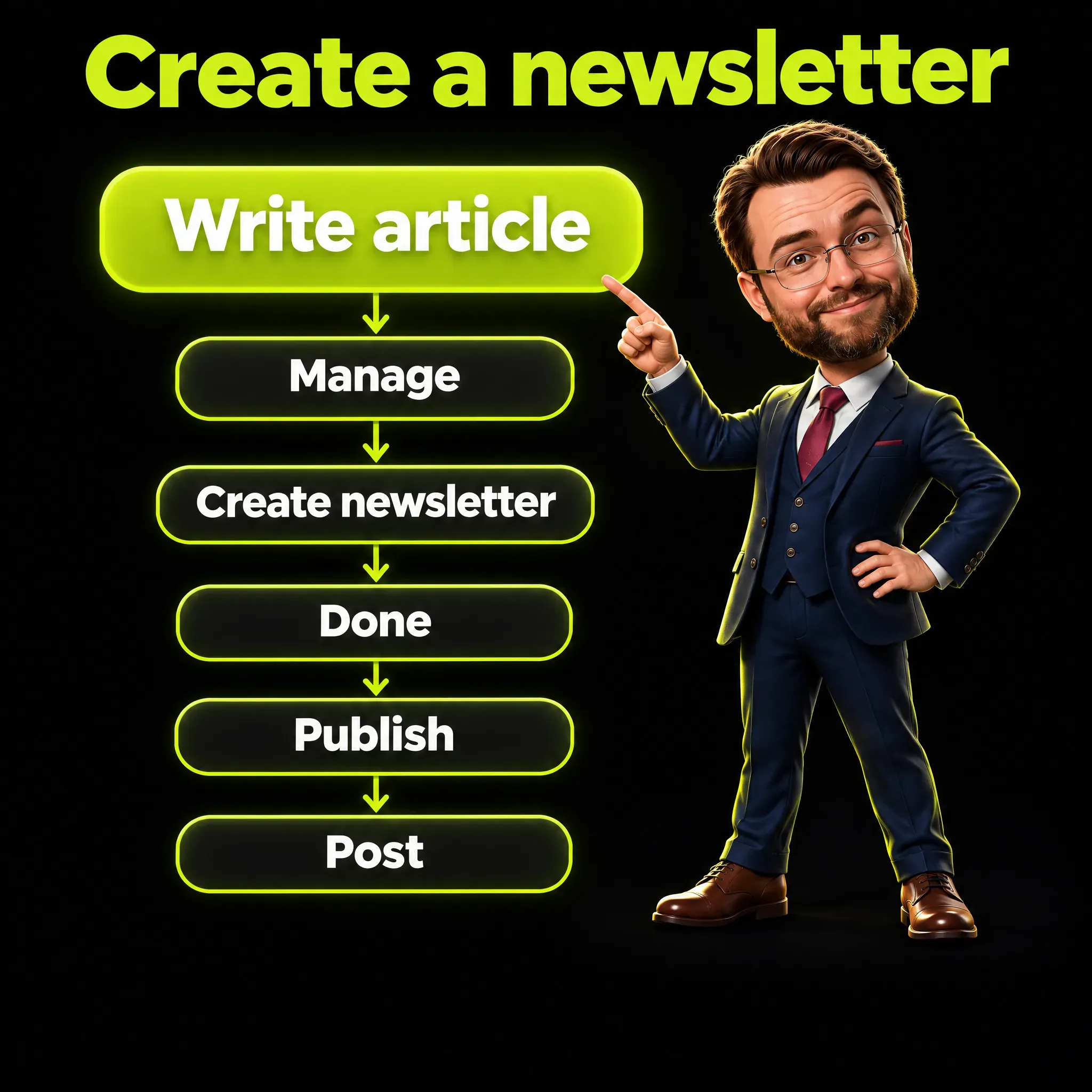
These are the steps from the guide Manage a newsletter on LinkedIn, with the button names as written there:
- Click Write article at the top of the homepage. If you manage a LinkedIn Page, you first see Publish as: select your own account and click Next.
- Click the Manage dropdown near the upper right and select Create newsletter.
- Add a Newsletter title, a Newsletter description and an answer to How often do you want to publish?
- Add an image or logo if you want one, then click Done.
- Write the first article of the newsletter in the editor.
- Click Next on the upper right, then click Publish.
- In the window that opens, add a few lines of context and click Post.
Two details from the same guide are easy to miss. The title field comes with a warning: “Avoid adding emojis into the title of your newsletter”. And the last click has a side effect: “When you click Post, your newsletter will also be shared in the feed”.
The same guide covers editing and deleting, through Edit and Delete newsletter. It showed “Last updated: 1 year ago” when I read it, so if your screen looks different, trust the screen.
How Many Newsletters Can You Have, and How Often Should You Publish?
You can have up to five, and LinkedIn does not prescribe a rhythm. The official guide says: “Authors can create up to five newsletters at a time”. After creating or deleting one, the same guide says, “you must wait two weeks before creating a new one”.
That wait matters for experiments: if you create a test newsletter today, the real one has to wait two weeks. Editions have no cap, because the Page guide allows “an unlimited number of editions for each newsletter”.
On frequency, the form asks how often you want to publish. The Help pages name the field without listing its options, and third-party lists differ, so choose from what your own form shows.
LinkedIn’s only advice is consistency. Its best practices page says: “Maintain the publishing cadence that you chose for your newsletter so that your subscribers can engage regularly with your content”. Cadence means rhythm, and I suggest one you can keep for a year.
What Happens When You Publish the First Edition?
Three things happen, according to the official guide: your network is invited to subscribe, the edition is shared in the feed, and LinkedIn creates a newsletter page. From then on, each new follower receives the same invitation, so the first edition is also your launch campaign.
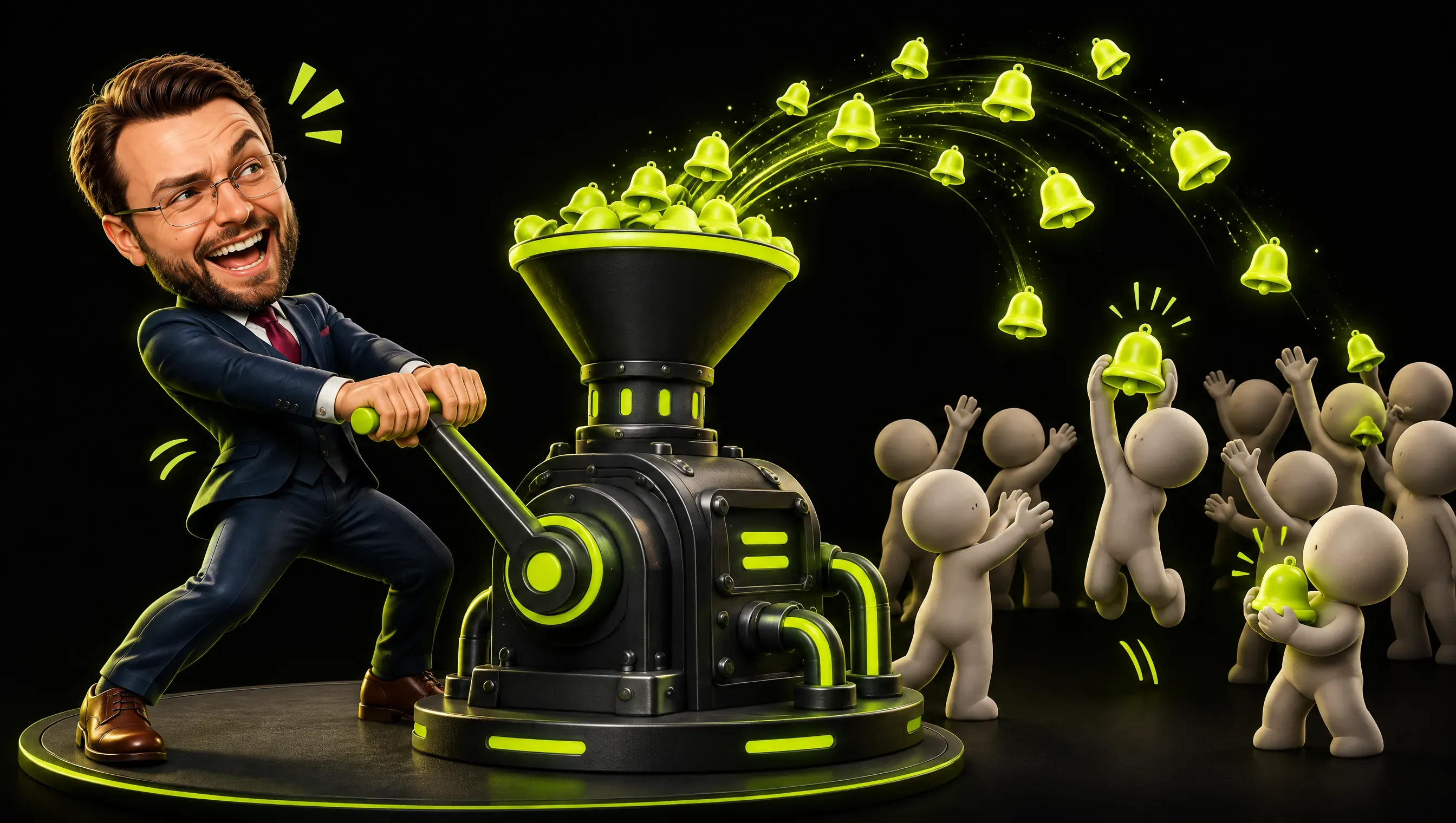
The invitation is automatic. The guide says: “By default, your connections and followers will be invited by notification to subscribe to your newsletter”. It goes out once the first article has been published, not when you create the newsletter.
Invitations continue after launch. The overview page explains: “When a member starts following another member or a page with newsletter, a notification inviting them to subscribe to the newsletter is automatically sent”.
The newsletter page holds “an overview of your newsletter, your profile information, and a list of the articles in the newsletter”. Anyone can view it without logging in, but “members must log in to subscribe or share it on LinkedIn”.
Because that invitation goes out with the first edition, I would not publish a placeholder as edition one.
What Do Subscribers Receive With Each Edition?
They receive a notification, and some of them an email. The overview page says that after each edition “push, in-app, and email notifications are sent to all your subscribers to help drive views”. Other pages are more careful, so I would not count on one email per subscriber.
A push notification is the alert on a phone, and an in-app notification is the one you see inside LinkedIn. LinkedIn’s newsletter FAQ explains how they interact: “if you receive an in-app or push notification, you should not expect to also receive an email for the same notification”.
The subscriber’s settings count too. The page on subscribing and unsubscribing says: “Depending on your settings, you may also receive notifications and an email when the author publishes a new newsletter article”. The word to notice is may.
Even the small words differ. The profile guide promises “a notification or email”, while the Page guide promises “a notification and email”.
A subscriber can also stop the emails and stay subscribed. The FAQ describes a click on Unsubscribe at the bottom of a newsletter email: “You’ll stop receiving emails from any newsletter you’re subscribed to but will remain subscribed”. For you as the author, subscriber count and email reach are two different numbers.
Is Following You the Same as Subscribing?
No, they are two separate actions. The FAQ says that following the author does not subscribe a member, and no page I read says otherwise. On the opposite direction the pages disagree, as the quotes below show.
The FAQ says of a follower: “they won’t automatically be subscribed to that author’s newsletter”. About subscribers it says “they won’t necessarily be a follower of the newsletter author’s other content”.
Three other pages contradict that second point: “When you subscribe to a newsletter, you also start following the newsletter author”. I take this version as the working rule, because the most recently updated page states it. A follower is still not a subscriber, so I would count the two separately.
What Can You See About Your Subscribers?
You see who they are on LinkedIn, and the Help pages list nothing that reaches them outside it. The page on subscriber information says: “They can see your name, profile photo, job title, and headline as they appear on your LinkedIn profile, subject to your settings”. An email address is not on that list.
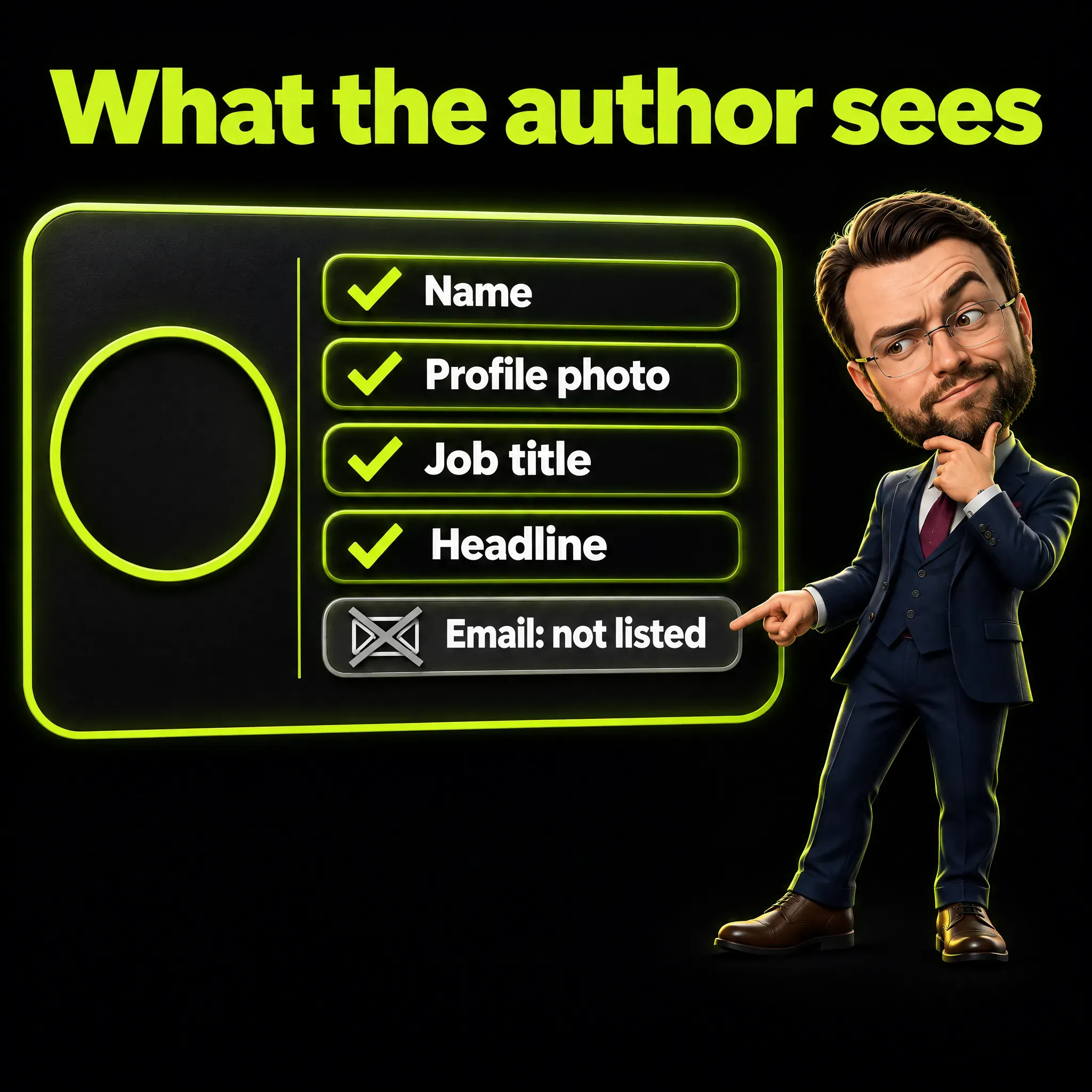
The page is written for the subscriber, so the word they means the author. The headline is the line under a person’s name on a profile, for example Purchasing Manager at a furniture maker (my own example).
The analytics page adds a list of your newest subscribers, with a button next to each to follow, connect or message. It also breaks down all subscribers by “Job titles, Company, Company size, Seniority, or Locations”.
What the official pages do not describe is an export, meaning a download of the list as a file. Third parties go further, as I show below.
What Do Newsletter Analytics Show, and What Is Missing?
They show four numbers, an email send count for each article and the makeup of your audience. The newsletter analytics page, marked as updated “6 days ago” when I read it, lists article views, new subscribers, impressions and engagements. It lists no open rate and no click rate, the two standard numbers of email marketing.
The definitions are precise. An article view is counted when “a member clicked on one of your newsletter editions to view it either on the article page or within a newsletter email”. An impression is counted when an edition was “displayed on screen”, a difference I explain in my guide to LinkedIn impressions.
There is one email number: “Email sends for each article in your newsletter are available on the article analytics page”. LinkedIn does not define a send there, and read plainly it is an email that went out, not one that was opened. Open rate is the share of delivered emails that were opened, for example 400 opens on 1,000 delivered emails, or 40% (invented numbers).
Publishers describe the same gap. In December 2023 a media industry newsletter relayed what the newsletter editor of a large business newspaper had told Nieman Lab. The editor said: “We can’t track open rates or click-through rates, or compare metrics over time”.
I write do not list on purpose: this guide follows the documentation, and screens can change before Help pages do. Your own analytics page, reached from the Activity section of your profile, may show more.
How Does a Company Page Newsletter Work?
For readers it works the same way, and for you the menus and the access rules change. The Page newsletter guide says: “To create a newsletter as a Page, you must be a super or content admin of that Page and meet the newsletter access criteria”.
Super admin and content admin are two of the roles a company gives to the people who manage its Page. According to the guide, the steps for a Page are these:
- Go to your Page super or content admin view.
- Click Create in the left menu.
- Click Create a newsletter.
- Enter a newsletter title, select how often you would like to publish, and add a description.
- Upload an image, then click Done.
Two details are specific to Pages. According to LinkedIn’s note on the newsletter page, a Page’s newsletter page “is separate from your LinkedIn Page”. And a newsletter created for a Showcase Page, a sub-page of a company Page, “isn’t linked to the parent Page”.
Pages also have a documented route out of the feed. The guide on publishing as your Page says the Share button can “generate a shareable subscribe link URL, or generate a subscribe button to embed on a website”. The Help pages describe it only in the Page guide and say nothing of it for personal profiles.
LinkedIn Newsletter or Your Own Email Newsletter?
They do different jobs, so I would not treat one as a substitute for the other. A LinkedIn newsletter gives you built-in invitations and an audience that is already on the platform. Your own email newsletter usually gives you the addresses, fuller statistics and the freedom to change tools.

| LinkedIn newsletter | Your own email newsletter | |
|---|---|---|
| Where the list lives | On LinkedIn | In your email tool |
| What you know about a subscriber | Name, profile photo, job title, headline | The email address, plus what you ask for |
| How people are invited | Automatic notification to connections and followers | Your own form and your own promotion |
| How an edition arrives | Push, in-app or email, depending on settings | Email to the addresses on your list |
| Documented numbers | Article views, new subscribers, impressions, engagements, email sends | Opens and clicks, depending on the tool |
| Moving elsewhere | No export described in the Help pages | You can usually export the list as a file |
The export question is where third parties are blunt. Journalism.co.uk, a trade publication for journalists, wrote in August 2024 that “newsletter subscribers cannot be exported, and all those subscribers could, in theory, vanish overnight”. It added: “LinkedIn did not comment on this issue”.
LinkedIn’s pages do not say that an export is impossible: they are silent. The claim comes from reporting dated 2023 and 2024, based on interviews with a handful of publishers.
The same report describes the other side: on platforms like Substack “you can export your emailing list at any point”.
I work with an automated chain of steps that prepares email newsletters, described in my article on the newsletter automation pipeline. The point that matters here is ownership of the address: with it, you can write to a person even if a platform changes its rules.
Email numbers are not perfect either. Opens are measured with a tiny invisible image, and that measurement is fragile, as I explain in my piece on email tracking pixels in Europe.
Are LinkedIn Newsletters Worth It?
I think they are worth it as a shop window inside LinkedIn, and not as your main newsletter. That is my reading of the sources. No average for subscriber growth or opens comes with a method, so ask anyone who quotes a typical figure where it comes from.
The biggest documented case I can cite is a large business newspaper. According to Journalism.co.uk, it got “1m subscribers within its first month, while the next 2m took two years to get”. That is a famous outlet at launch, so it says little about a personal profile.
The same report shows both directions. One media journalist had 14,000 free subscribers on his own newsletter, double the 7,000 of his LinkedIn edition. For the business newspaper and for another author, the LinkedIn edition was the larger one.
Effort and traffic are the other half. The newspaper’s head of newsletters estimated that her team spends an hour a week repackaging content for LinkedIn. She described the clickthrough, the share of readers who click from LinkedIn to the newspaper’s site, as “vanishingly small”.
Money is a separate question. The Help pages I read describe no paid subscriptions and no ads for newsletters. In 2024 Journalism.co.uk wrote about LinkedIn: “As far as we can tell, they have no plans to roll out monetisation options”.
If your buyers already read on LinkedIn, a newsletter is a sensible part of a LinkedIn content strategy. It also suits thought leadership: a new idea, backed by evidence, that changes how a buyer thinks about a problem.
Which Official Tips Are Worth Following?
LinkedIn’s best practices page is short, and most of it is about being recognizable and regular. It asks for a clear name, a logo, a cover image for each edition, a steady rhythm and a post that introduces each edition. I would follow all of them, because they cost little.
On the name, the page says: “Choose a name for your newsletter that describes a clear theme that your audience can understand”. On images it recommends a logo of 300x300 pixels and a cover photo of 1920 x 1080 pixels for each article.
On promotion it is cautious: “You could get more engagement by adding a few lines of commentary or asking a question in a post when you share your newsletter”. LinkedIn writes could, so this is a possibility and not a measurement.
For search engines, the SEO settings page warns: “If your SEO title is over 60 characters, it will be truncated”. For an example to study, the overview page points to LinkedIn’s own Top Picks newsletter, curated by its News team.
Which Common Claims Does the Source Not Support?
Several rules repeated in guides do not match what LinkedIn has written. Most are old screens, Page rules applied to people, or one author’s opinion turned into a fact. In the table, each claim stands next to what its source says as of November 2026.
| Widespread claim | What the source says |
|---|---|
| Every subscriber gets an email | Email depends on the subscriber’s settings, and LinkedIn sends no redundant notifications |
| You need 150 followers to start | The 150 threshold is for Pages, and it makes them eligible to be evaluated |
| You can have only one newsletter | Up to five at a time, with a two-week wait after creating or deleting one |
| The frequency menu has four fixed options | The Help pages name the field and list no options |
| You can download your subscribers’ emails | The official list of what an author sees has no email address |
| The average open rate is a known percentage | The Help pages list no open rate, and the public figures come without a method |
| You can charge for subscriptions | No paid option is documented in the Help pages |
| LinkedIn favors newsletters in the feed | One author’s impression from 2023, not a LinkedIn statement |
The last row deserves a note. In 2023 a media journalist wrote that it “seems clear that LinkedIn is prioritizing newsletter content in its algorithm”, the rules that decide what members see. No LinkedIn page I read says so, and my guide to the LinkedIn algorithm shows that no official text ranks one format above another.
A Real Comment: Who Owns the Subscriber List
The real voices on this topic are publishers who run LinkedIn newsletters, quoted in trade reporting. The clearest one is the newsletter editor of a large business newspaper. The editor spoke to Nieman Lab in 2023, for its look at how 13 news outlets use the format.
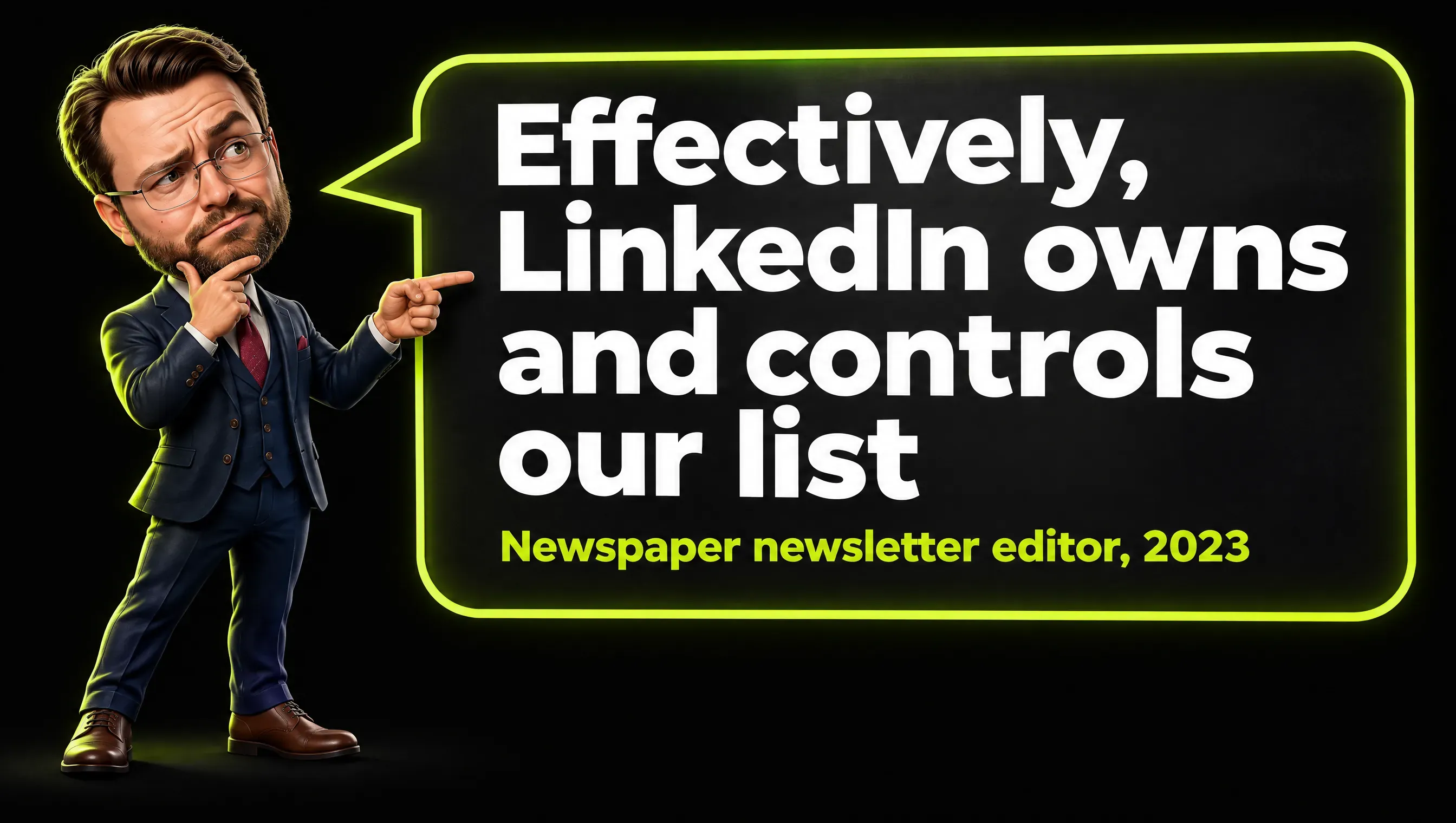
Real comment by a newspaper’s newsletter editor to Nieman Lab, relayed by a media industry newsletter, December 2023.
The editor’s words, as relayed there: “we don’t have access to subscribers’ emails - effectively, LinkedIn owns and controls our list”. The same person added: “Our LinkedIn newsletter drives much less traffic back to the site than we expected, especially given the audience size”.
A media journalist with his own LinkedIn newsletter told Journalism.co.uk in 2024 that being able to export his list would change everything for him.
I read these statements as the honest cost of the format. The newspaper and the journalist both had LinkedIn newsletters when the 2024 report came out, so the complaint is not that the newsletter is useless. The complaint is that the audience cannot leave with them.
My view matches theirs, with one addition. A list without email addresses is closer to a follower count than to a mailing list. I would count LinkedIn subscribers as reach and email addresses as contacts.
The statements are from 2023 and 2024. The Help pages I read also document a subscribe link and an embeddable subscribe button for Pages, which those reports did not mention. I would still plan on the assumption that the list stays where it is.
Frequently Asked Questions
What is a LinkedIn newsletter?
A LinkedIn newsletter is a set of regularly published articles on LinkedIn that members can subscribe to. Subscribers are notified when a new edition is published, and it can be run by a person or by a LinkedIn Page.
How do I create a LinkedIn newsletter?
On a computer, click Write article, open the Manage dropdown and select Create newsletter. Add a title, a description, a frequency and an optional image, then click Done.
What is the difference between a LinkedIn newsletter and an article?
A newsletter fits a topic you will cover regularly, because it adds subscriptions, invitations and notifications. A single article fits a one-off piece, and both are written in the same editor.
How do people subscribe to a LinkedIn newsletter?
They click Subscribe on the newsletter page, on an edition or in the feed, or Accept on the invitation. They have to be logged in, and they can switch off the emails and stay subscribed.
Can I get my subscribers’ email addresses?
LinkedIn’s list of what an author sees contains name, profile photo, job title and headline, and no email address. The Help pages describe no export, and publishers reported in 2023 and 2024 that the list cannot be exported.
Can I see the open rate of a LinkedIn newsletter?
The Help pages list article views, new subscribers, impressions, engagements and email sends. They list no open rate and no click rate.
Are LinkedIn newsletters still a thing?
Yes. As of November 2026 the feature is documented in LinkedIn’s Help pages, and the analytics page was marked as updated 6 days before I read it. That shows upkeep by LinkedIn, not how many people read newsletters.
Are LinkedIn newsletters worth it?
In my opinion yes, as a shop window for an audience that is already on LinkedIn, and no as a replacement for your own email newsletter. No benchmark in the sources comes with a method, so I suggest judging it by your own analytics.
Can you make money with a LinkedIn newsletter?
The Help pages I read describe no paid subscriptions and no ads for newsletters. LinkedIn’s reply to Journalism.co.uk in 2024 pointed to indirect income, such as speaking engagements and selling products or services.
LinkedIn Newsletter in Short
A LinkedIn newsletter is an article series with a subscription on top, and as far as the Help pages show, the list stays on LinkedIn. I suggest using it as a shop window where your readers already are, while your own email newsletter holds the contacts you want to keep.
I write about marketing, AI and the numbers behind them. If this was useful, follow me on LinkedIn.