Claude Skills Explained: What They Are, Which Work Deserves One, and Where the Risk Is
Claude Skills are folders of instructions Claude loads only when a task needs them. What deserves a skill, how it differs from a connector, where the risk is.

Claude Skills are folders of instructions that Claude opens only when a task calls for them. Each folder holds one text file with a procedure, and sometimes extra files or small programs. You write down once how a piece of work is done, and Claude applies it whenever a request matches.
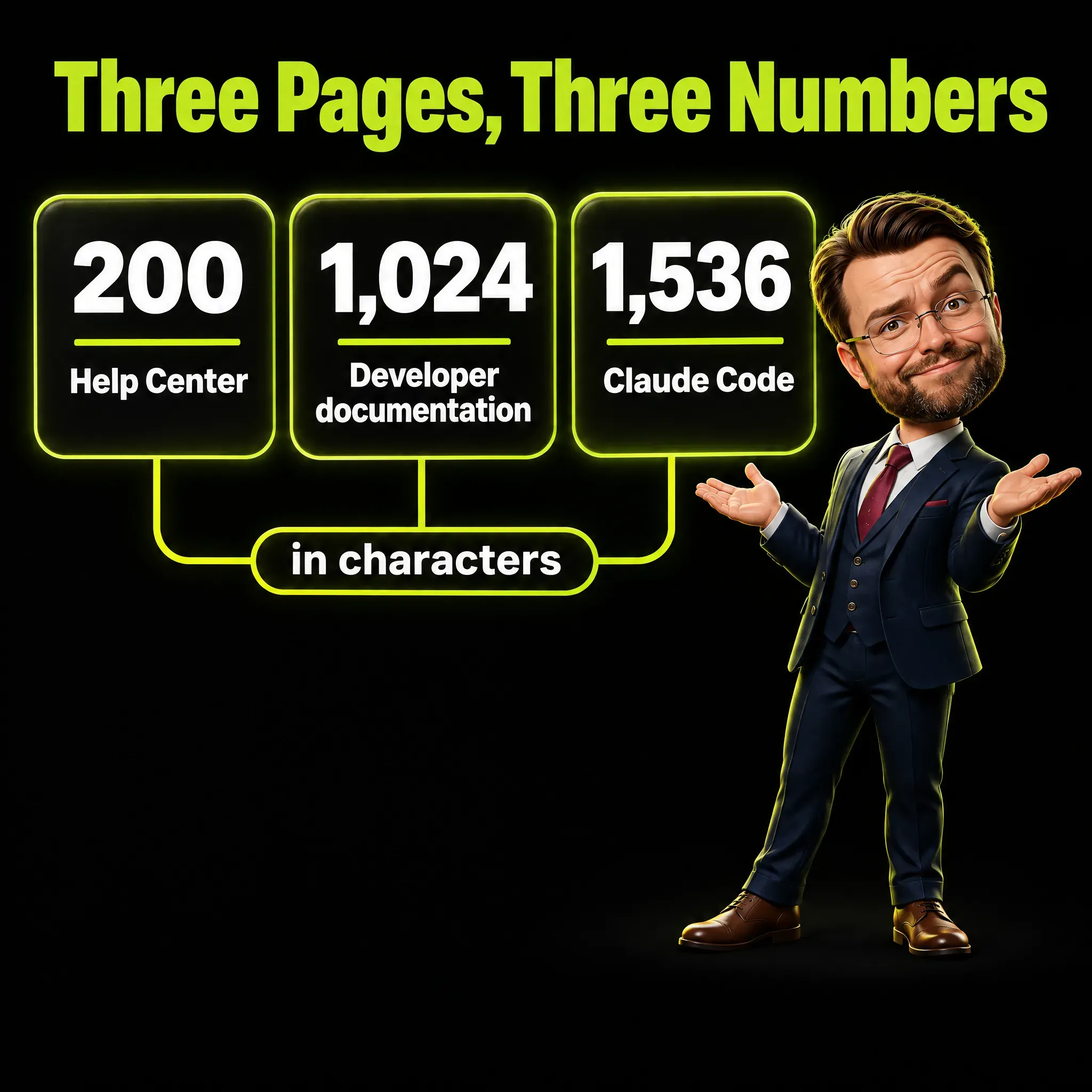
Most explanations stop there, and two things get lost. A skill can carry code that runs, so it is closer to an installed program than to a saved prompt. And as of November 2026 the official pages disagree on the description: one says 200 characters, another 1,024, and a third cuts its skill list at 1,536.
I work as a Marketing Engineer: Digital since 12, full Marketing since 20. This guide is for people who do not program, and it shows where the official pages contradict each other.
Key Takeaways
- A skill is a folder with a procedure. It holds a file called
SKILL.mdand, when needed, reference files and scripts that Claude can run. - Claude reads the description first. Until a request matches, Claude holds only each skill’s name and description.
- The pages disagree on the description. The Help Center allows 200 characters, the developer documentation 1,024, and Claude Code cuts its listing at 1,536.
- A skill can contain code. The official guide for organizations asks you to treat installation “with the same rigor as installing software on production systems”.
- Skills do not travel on their own. A skill uploaded in the app does not appear in the other Claude products, with one exception for Claude Code.
- Repeatable procedures are worth a skill. A brand style or a report format fits; a fact Claude should always know belongs in standing instructions.
What Are Claude Skills, in Plain Words?
A skill is a folder that teaches Claude one piece of work. Inside is a text file with instructions, and sometimes extra documents or small programs. Claude does not read the whole folder in every conversation: it reads a short description and opens the rest when your request matches.
The official definition comes from the Help Center page What are skills?. It reads: “Skills are folders of instructions, scripts, and resources that Claude loads dynamically to improve performance on specialized tasks”.
In the Agent Skills overview, the developer documentation says a skill is “organized like an onboarding guide you’d create for a new team member”.
What Is Inside a Skill Folder?
One file is required: SKILL.md, a plain text file with a name, a description and the instructions. Everything else is optional: reference documents Claude reads when needed, and scripts, which are small programs Claude can run. A skill for a report format may be one file; a skill that fills in PDF forms needs more.

The Help Center page on how to create custom skills gives the range. Skills “can be as simple as a few lines of instructions or as complex as multi-file packages with executable code”.
The table below is a small example of my own, not a real file. It is a skill for a monthly marketing report, and it contains only text.
| Part of the file | Example content |
|---|---|
| Name | monthly-marketing-report |
| Description | Write the monthly marketing report in our fixed format. Use when asked for a monthly report or a summary of campaign results. |
| Step 1 | Start with a three-line summary a manager can read in 20 seconds. |
| Step 2 | Show at most three numbers and say where each comes from. |
| Step 3 | Close with one decision for next month. |
The name has rules. The developer documentation allows at most 64 characters, only lowercase letters, numbers and hyphens, and it bans the reserved words anthropic and claude.
The Help Center describes the same field differently: “A human-friendly name for your skill (64 characters maximum)”, with the example “Brand Guidelines”, capital letters and a space included. It also writes the file name in lowercase, skill.md. My own caution: a lowercase name with hyphens, as in my example, fits both pages.
How Does Claude Decide When to Load a Skill?
Claude compares your request with the descriptions of the skills you have enabled. If one matches, it opens that skill’s instructions; if none does, the skills stay closed. The developer documentation describes three levels of loading, and each has a different cost in tokens, the units a model uses to count text.
The cost matters because of the context window, the amount of text a model can hold at once.
The three levels look like this.
- The name and description are loaded at the start of every session, at a cost of “~100 tokens per Skill”.
- The body of
SKILL.mdis loaded when a request triggers the skill, listed as “Under 5k tokens”. - Extra files and scripts are loaded only when the task needs them, at a cost of “None until accessed”.
The weak point of this design is the description. It is the only part Claude sees before it decides, so a vague one can leave a skill unused. One that is too wide opens the skill for requests it was not written for.
How Long Can a Skill Description Be? Three Pages, Three Numbers
It depends on which official page you read. As of November 2026, three Anthropic pages give three different numbers: two maximums for the description, 200 and 1,024 characters, and one cut at 1,536 characters. The pages sit in three parts of Anthropic’s documentation, and none of them says which number wins.
Three products appear in the table: the Claude app, the API and Claude Code. The API is the interface programmers use to connect Claude to their own software. Claude Code is Anthropic’s coding tool, which can run in a terminal, the command-line window on a computer.
| Official page | Where the page sits | What it says about the description |
|---|---|---|
| How to create custom skills (Help Center) | Help Center, written for the Claude app | ”200 characters maximum” |
| Agent Skills overview (developer documentation) | Developer documentation, with sections on the API, Claude Code and the app | ”Maximum 1,024 characters” |
| Skills documentation for Claude Code | Claude Code documentation | ”truncated at 1,536 characters in the skill listing” |
The Claude Code page describes a cut, not a maximum: the combined text of two fields, description and when_to_use, is shortened in the list of skills Claude sees. That is why the same page advises: “Put the key use case first”.
The pages also disagree on what is required. The developer documentation and the Help Center both treat name and description as required, while the Claude Code page says: “All fields are optional”. On that page only the description is recommended, and a skill without a name takes the name of its folder.
Since no page says which number wins, my suggestion, which is not an official rule, is a description under 200 characters. A text that fits the smallest limit fits the other two.
The developer documentation also asks for a description that covers “both what the Skill does and when Claude should use it”. The example in my table above has 125 characters and does both.
Where Do Claude Skills Work, and Which Plans Include Them?
As of November 2026, skills work in three places: the Claude app, Claude Code and the API. The Help Center still marks the API part as a test version: “in beta for all API users using the code execution tool”. On plans, two official pages give two lists, and both require code execution, the feature that lets Claude create files and run programs.
The Help Center guide to using skills in Claude says: “Skills are available for users on Free, Pro, Max, Ultra, Team, and Enterprise plans”. It adds that on Free, Pro, Max and Ultra plans “You can enable example skills and upload your own”. The developer documentation says custom skills in the app are “Available on Pro, Max, Ultra, Team, and Enterprise plans”, with no mention of Free.
Neither page names a separate price, so check the plan page of your own account.
A skill does not follow you from one product to another by default. The developer documentation states in bold: “Custom Skills do not sync across surfaces”, where a surface is any place you use Claude. A skill uploaded in the app must be uploaded again for the API, and Claude Code keeps its skills as folders on your computer.
There is one exception, and the developer page does not mention it. The Help Center says enabled skills “also load in Claude Code in your terminal when you sign in with the same Claude account”. It needs Claude Code v2.1.273 or later and works in one direction only, from your Claude account to Claude Code.
It does not apply when Claude Code is signed in with an API key, a code programmers use in place of an account login. The same is true when Claude Code runs through another company’s cloud service such as Amazon Bedrock.
Colleagues are a separate case: the Help Center says custom skills “aren’t visible to colleagues until you share them”.
Which Work Is Worth a Skill?
Work you repeat, with steps you can write down. The Claude Code documentation gives a test: “Create a skill when you keep pasting the same instructions, checklist, or multi-step procedure into chat”. If you catch yourself pasting the same text again, that text is a candidate.
The Help Center lists typical uses, starting with “Apply brand style guidelines to documents and presentations”. Company email templates and meeting notes in a fixed format follow.
For marketing work I would start with three skills. These are my examples, not official ones, and all three are text only.
- Tone of voice: the words the brand uses and avoids, plus two approved sample texts.
- Monthly report: a fixed structure, and each number with its source and date.
- Pre-publication check: title, meta description, links and images with alternative text.
If you follow a written LinkedIn content strategy, its weekly routine is a procedure you could write into a skill.
In my own work, the skills I use most for deliverables hold brand rules, so graphics and documents come out on brand without my repeating them. I also keep the always-on rules few and short, and I move long processes into skills.
Not every piece of work gains from a skill. The official Agent Skills guide for organizations warns that skills “can degrade agent performance if they trigger incorrectly, conflict with other Skills, or provide poor instructions”. A one-off task, or work that changes every time, I would handle with a normal prompt.
How Is a Skill Different From Project Instructions, Connectors, Subagents and Saved Prompts?
The difference is when Claude reads each one and what it is for. Project instructions are always loaded, while a skill is loaded on demand. A connector gives access to an outside service, a subagent is a separate worker, and a saved prompt is text you paste yourself.

| Tool | What it is | When Claude reads it | What it is for |
|---|---|---|---|
Project instructions (CLAUDE.md in Claude Code) | A text file with standing rules | Every session, automatically | Facts Claude should always know |
| Project in the app | A workspace with background knowledge | Always, in chats inside that project | Context for one body of work |
| Custom instructions | Preferences for all your conversations | In every conversation | General style and preferences |
| Skill | A folder with a procedure | Description at the start, the rest on demand | Repeatable procedures |
| Connector (MCP) | A link to an outside service | In Claude Code: tool names at the start, details when a tool is used | Access to tools and data |
| Subagent | A separate worker with its own context | When a task is handed to it | Side work that returns a summary |
| Saved prompt | Text you keep and paste | Only when you paste it | Short instructions you reuse by hand |
The rows on Claude Code follow its features overview; the app rows follow the Help Center. The overview’s rule: what Claude should always know goes into CLAUDE.md, and reference material it needs sometimes goes into a skill. I cover that file in my guide to CLAUDE.md best practices.
A connector is built on MCP, the Model Context Protocol, a standard way to plug outside services into Claude. The Help Center draws the line: “MCP connections give Claude access to tools, while skills teach Claude how to use those tools effectively”. My own picture: the connector is the key to the warehouse, and the skill is the written procedure for the inventory.
A subagent is an isolated worker that takes a side task and returns a summary. The subagents documentation says it “runs in its own context window with a custom system prompt, specific tool access, and independent permissions”.
A saved prompt is the closest relative. In an October 2025 discussion of skills on Hacker News, a forum for programmers, one commenter called them “a much lighter way to save and checkout my prompts”. That describes the simplest skills, but a saved prompt has no scripts, no extra files and no loading in steps.
One more word from the Claude Code documentation is plugin: a package that bundles skills, subagents, connectors and other parts into one installable unit.
How Do You Create a Skill Without Writing Code?
You write a text file and upload it. The Help Center says anyone can create skills by writing instructions in Markdown, with “no coding required for simple skills”. Markdown is plain text with a few marks for structure, such as a hash sign in front of a heading.
These are the steps the Help Center describes, as of November 2026.
- Check that code execution is on: on individual plans, under Settings, then Capabilities.
- Create a folder named like the skill, with a
SKILL.mdfile: name and description at the top, instructions below. - Compress the folder into a ZIP file. The page is precise: “The ZIP should contain the skill folder as its root (not a subfolder)”.
- In the app, open Customize, then Skills, click the plus button, choose Create skill and then Upload a skill.
- Enable the skill and test it with several requests. The page advises: “Iterate on the description if Claude isn’t using it when expected”.
There is a second route: you record your screen while you do the task, and Claude proposes a skill for you to review. The Help Center limits it: “Recording a skill is available on Pro, Max, Ultra, and Team plans, in Cowork in Claude for Mac”. Cowork is a part of the Claude desktop app.
The page says the video and audio are not retained, but a set of screenshots from the session is saved. Its warning I would take literally: “Don’t type passwords or secrets, or display sensitive information or private conversations while recording”.
What Changes With Claude Code Skills, and Who Presses the Button?
The format is the same at its core, but the skills live as folders on your computer and there is no upload step. A personal skill goes into ~/.claude/skills/, a folder inside your user folder, and a project skill into .claude/skills/ inside that project. Claude can pick a skill by itself, or you call one by typing its name after a slash.
In Claude Code you can also decide who starts each skill. A setting called disable-model-invocation makes a skill start only when you type its command. The documentation explains why with an example about deployment, which means putting new software live: “You don’t want Claude deciding to deploy because your code looks ready”.

I apply the same logic to sending an email or publishing a page. Many of my process skills stay on explicit command, because a skill that starts by itself at the wrong moment costs more time than it saves.
The guide for organizations adds a second safeguard for skills themselves: “Skill authors should not be their own reviewers”.
Where Do Ready-Made Anthropic Skills Come From?
From three places, as of November 2026: skills built into Claude, a directory inside the app, and a public repository on GitHub, a website where programmers publish code. They differ in who made them and in how much checking they need from you.
The built-in ones create Excel, Word, PowerPoint and PDF files. The Help Center says these Anthropic skills “are available to all users and Claude invokes them automatically when relevant”.
The directory of skills, connectors and plugins is inside the app, and the Help Center says it features skills built by partner companies. Skills installed from it are view-only: to change one, you upload a modified copy as your own.
The third place is the anthropics/skills repository on GitHub. On November 18, 2026 it showed about 197,000 stars, which work like bookmarks, and about 23,100 forks, which are personal copies of the repository. Both show interest and say nothing about quality.
The repository states its own status: “These skills are provided for demonstration and educational purposes only”.
I have tried large public collections of skills. Most of what they contain serves people who work with one specific technology, so I install few.
What Are Agent Skills, and Is the Format Open?
Agent Skills is the name of the format behind Claude Skills, and it is published as an open standard. The Agent Skills site describes it as “a lightweight, open format for extending AI agent capabilities with specialized knowledge and workflows”.
An AI agent is a model that carries out tasks in steps, as in my article on AI marketing agents.
The format started at Anthropic. Its engineering article on Agent Skills was published on October 16, 2025. An update dated December 18, 2025 says: “We’ve published Agent Skills as an open standard for cross-platform portability”.
Open does not mean universal. The Help Center words it with a condition: “the same skill format works across AI platforms and tools that adopt the standard”. The Agent Skills site says it “has been adopted by a growing number of agent products” and links a showcase, so check the product you use.
The Claude Code documentation says it extends the format with features such as “invocation control, subagent execution, and dynamic context injection”. A skill that depends on those extras may not behave the same in another product.
Where Is the Risk in Installing a Skill?
The risk is that a skill can contain instructions and code you have not read. The developer documentation is direct about it: “Use Skills only from trusted sources: those you created yourself or obtained from Anthropic”. Anything else needs a review before you switch it on.

The same page explains the mechanism: a malicious skill “can direct Claude to call tools or run code in ways that don’t match the Skill’s stated purpose”. Depending on what Claude can reach, the page names three outcomes: data copied out without your knowledge, unauthorized access to systems, and other security risks. That is why the guide for organizations says: “Treat Skill installation with the same rigor as installing software on production systems”.
Production systems are the ones a company depends on every day. The guide has a review checklist of eight steps; my short version has five.
- Read every file in the folder, not only
SKILL.md. - Check that each script does what the description says.
- Look for instructions that tell Claude to ignore rules or hide actions from you.
- Look for web addresses and network calls, where data could leave.
- Make sure no passwords or access keys are stored in the files.
This is the habit from my article on human-in-the-loop verification: a person reads before the machine acts. A text-only skill is a short read; for one with scripts, I would ask someone who reads code.
How far a harmful skill can reach depends on the product. According to the developer documentation, skills on the API run with no network access. In Claude Code they “have the same network access as any other program on the user’s computer”, and in the app it depends on user and administrator settings.
There is an automatic check, with limits. According to the Help Center page on skill scanning, as of November 2026 Enterprise organizations can have uploaded third-party skills scanned, with three results: pass, warn or fail.
The page adds that a pass “isn’t a guarantee that a skill is safe in every respect”. The guide for organizations marks a second limit: “Scanning doesn’t cover the Claude API”.
The rule also applies to skills you write: the checklist says credentials, meaning passwords and access keys, should never appear in skill content. I go deeper in my article on AI agent security.
What Happens When You Install Too Many Skills?
Claude can lose the text it needs to choose between them. In Claude Code every skill name stays in the listing, but when there are many skills some descriptions are dropped to fit a size budget. Without its description, a skill is harder to match to a request.
As of November 2026, the Claude Code documentation says the cut “removes the keywords Claude needs to match your request”. The budget “scales at 1% of the model’s context window”, and descriptions are dropped “starting with the skills you invoke least”.
The size budget is documented for Claude Code only. The guide for organizations gives the general version, without numbers: “With too many Skills active, Claude might fail to select the right Skill or miss relevant ones entirely”.
A second effect is collision. The guide for organizations lists the case of a new skill whose description is too broad, “stealing triggers from existing Skills”. My practice follows from this: a short list, and unused folders deleted.
A Real Comment: The Description Decides Whether a Skill Runs
Skills launched in October 2025, and a long discussion followed on Hacker News. One comment from those first days raised a concern.
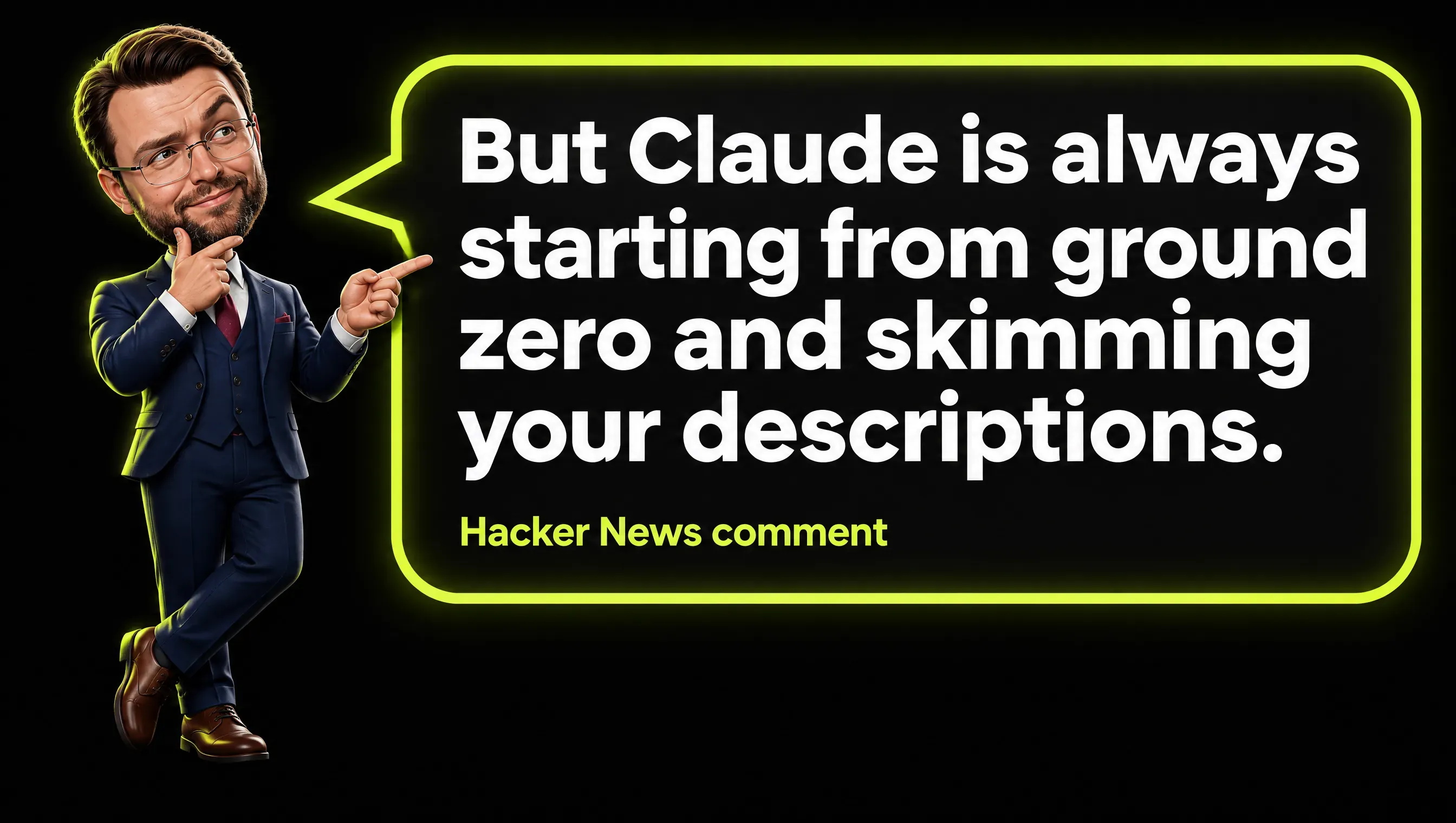
Real comment from the Hacker News thread on Claude Skills, October 2025.
The comment sees a danger: “the capability of the system to use the right skill is limited by the little blurb you give about what the skill is for”. It closes with this line: “But Claude is always starting from ground zero and skimming your descriptions”.
I share the concern. By the numbers in the developer documentation, Claude holds about 100 tokens of name and description for each skill before it decides. Everything else in the folder is invisible until then.
The comment compares this with a person, who gets better at knowing when a tool fits. With a skill, that improvement has to come from the author: you test with real requests and rewrite the description when the skill does not load.
Frequently Asked Questions
What are Claude Skills?
Claude Skills are folders of instructions, scripts and resources that Claude loads only when a task calls for them. Each one has a SKILL.md file with a name, a description and a procedure.
What are agent skills?
Agent Skills is the name of the open format behind Claude Skills. It started at Anthropic and is published as an open standard on agentskills.io.
Which plans include Claude Skills?
As of November 2026, the Help Center lists Free, Pro, Max, Ultra, Team and Enterprise, and says Free users can upload their own skills. The developer documentation lists the paid plans for custom skills in the app and does not mention Free. Both require code execution to be enabled.
How do I teach Claude a skill?
Write the procedure in a SKILL.md file, compress its folder as a ZIP and upload it under Customize, then Skills. On some plans you can also record your screen on a Mac and let Claude propose the skill.
Where does Claude read skills from?
In the app, from the skills enabled in your account under Customize, then Skills. In Claude Code, from folders on your computer: ~/.claude/skills/ for personal skills and .claude/skills/ for a project.
Does Claude have a skill builder?
Not under that name, as of November 2026. The official pages describe recording a task on a Mac, editing skill files together with Claude in chat, and the skill-creator plugin for testing a skill in Claude Code.
Are Claude Skills safe?
It depends on where the skill comes from and what is inside. Anthropic’s documentation says to use skills only from trusted sources, and its guide for organizations asks for a review like the one for new software.
Can you create skills in ChatGPT like you can in Claude?
As of November 2026, OpenAI’s ChatGPT pricing page lists skills on every personal plan, so ChatGPT has a feature with the same name. Agent Skills is published as an open standard that other products may adopt, and I compare the two assistants in Claude vs ChatGPT.
Claude Skills in Short
Claude Skills are folders of written procedures that Claude loads only when a task matches their description. They are worth building for work you repeat, and any skill with code inside deserves the same check as a program you install.
I write about marketing, AI and the numbers behind them. If this was useful, follow me on LinkedIn.