LinkedIn Headline Examples: 38 Lines by Situation, With the Formula Behind Each
LinkedIn headline examples for employees, job seekers, freelancers, founders, students and career changers, with the formula, the 220-character limit and proof.
Many lists of LinkedIn headline examples tell you to stop leading with your job title. LinkedIn itself gives two pieces of advice that pull in different directions.
Its Talent Blog says a headline should be more than a job title. Its help pages on search say that standard job titles “may be boring, but they are what other members search for”.
So the examples below do both. The title people search for comes first, with two exceptions that I point out, and the rest of the line says what you do, for whom, or what proves it. You get 38 lines sorted by situation, each with its formula and its character count.
I present myself as a Marketing Engineer, and I had to fit “Digital since 12, full Marketing since 20” into one line. I use my own headline drafts as the worked case further down. Every other example is written for this article and belongs to no real person.
Key Takeaways
- Put a standard job title first. LinkedIn says standard titles are what other members search for, and that fun titles “aren’t great for your searchability”.
- You have 220 characters. That number comes from LinkedIn’s Talent Blog. The help page gives no limit, and the “240 on mobile” figure is not documented by LinkedIn.
- The default line wastes the space. If your headline repeats your current position, LinkedIn stops showing that position in the top section of your profile.
- More keywords do not mean more visibility. LinkedIn states this in plain words and warns that an over-optimized profile can be hit by spam detection.
- Two 2026 studies point in different directions on length. One finds that top profiles write longer headlines, the other that most top influencers write only their role.
- Changing the headline is quiet. LinkedIn does not notify your network when you edit the introduction section.
What a LinkedIn Headline Is and Where People See It
The headline is the line of text under your name. LinkedIn’s help page on editing your headline defines it this way: “Your professional headline is the text below your name in the introduction section on your profile. It’s displayed in search results and can be separate from the title of your current position.”
Those are the two places LinkedIn confirms: your profile and the search results. The line is often cut short in narrow spaces, one more reason to put the most useful words at the start.
If you never wrote a headline, LinkedIn wrote one for you. The same page says: “Your headline is usually created when you add a new and current position to your profile, and it can be used to promote an area of expertise.”
That default wastes the line. LinkedIn explains: “If your professional headline and current position are the same, your current position won’t be displayed in the top section of your profile.” The two lines carry the same words, so LinkedIn shows them once.
How Long a LinkedIn Headline Can Be: 220 Characters
The limit is 220 characters. The help page does not mention a limit. The number comes from the LinkedIn Talent Blog article 10 LinkedIn Profile Headlines to Inspire Your Own, updated in February 2025.
That article tells readers to put “those 220 characters to good use by showing who you are and what you’re all about.”
You may read that the mobile app allows 240 characters. The Shopify blog repeats the figure and adds: “This limit has not been officially documented by LinkedIn itself”. I build on 220, the number LinkedIn published.
Why the Job Title Goes First: What LinkedIn Says About Search
A recruiter types a title into the search box, not a slogan. LinkedIn’s help page on the order of people search results is direct about it.
It reads: “Use standard job titles - Some people like to have fun job titles like “Chief Janitor” or “Head of Query Understanding”. While these titles may favorably communicate your personality, they aren’t great for your searchability. Standard job titles may be boring, but they are what other members search for.”
The advice talks about job titles in general and does not name the headline. I apply it to the headline because the headline is the line shown in search results. The same page adds a second hint: “Skills are among the most common queries performed by recruiters and hiring managers.”
LinkedIn says its search uses “proprietary relevance algorithms to generate a results order that’s unique to each member, based on the search query and the searcher’s context.” It publishes no weight for the headline, so a claim that the headline counts some exact number of times more than the rest has no official source.
Repeating a keyword does not help either. The page on search relevance says: “Adding more keywords to your profile doesn’t automatically improve your appearance in search results.” It continues: “If a profile appears overly optimized, it may be impacted by spam detection systems, which can negatively affect visibility in search results.”
Clear words matter more than repeated words. In a 2026 engineering paper about its AI search for jobs and people, LinkedIn describes a search that “retrieves and ranks results by meaning”. That does not retire the standard title: it is still the plainest way to say what you do.
How to Write a LinkedIn Headline: Eight Formulas
Every example in this article uses one of eight formulas. Pick the one that fits your situation, fill it with your own facts, then count the characters.
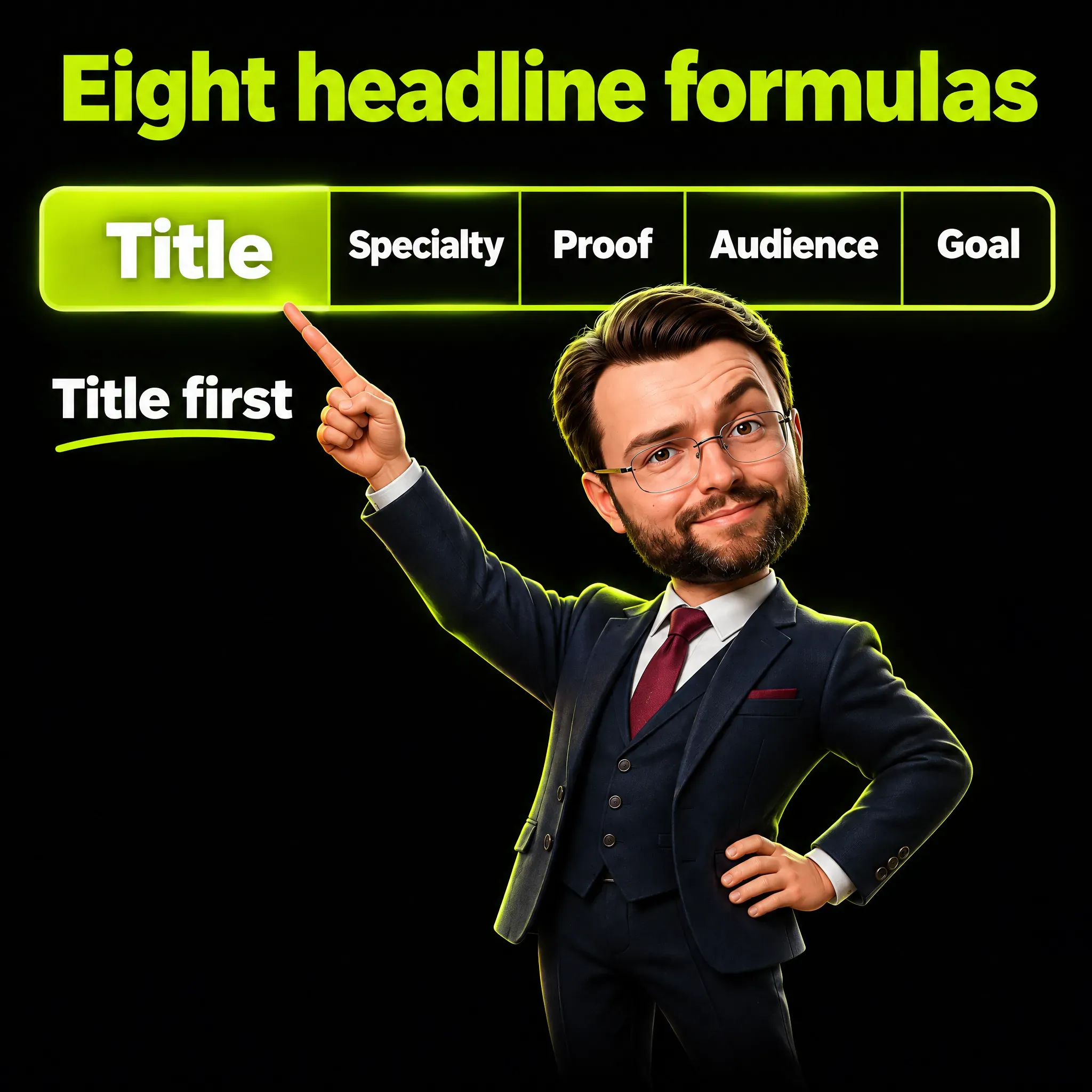
| Formula | Pattern | Best for |
|---|---|---|
| F1 | Title, specialty, context | Employees |
| F2 | Title, tools or skills, proof | Technical and operational roles |
| F3 | Title, skills, what I am looking for | Job seekers |
| F4 | Trade for an audience, what I deliver | Consultants and freelancers |
| F5 | I help an audience get a result with a method | Freelancers whose trade is clear from the sentence |
| F6 | Role and company, what the company does in plain words | Founders and owners |
| F7 | Student of a subject, skills, project or goal | Students and graduates |
| F8 | Starting role to target role, skills that transfer | Career changers |
Three steps turn a formula into your line.
- Write the title a stranger would type. Use the standard name of your job, even if your contract says something more colorful.
- Add the part your title does not say. A specialty, a tool set, an audience, or one piece of proof.
- Read the first three or four words alone. If they still say what you do, the line survives being cut.
Numbers belong in a headline only when a stranger understands them. I follow a rule in my own writing: a number goes in only if the reader gets its logic without being from my trade. Team of 25 is clear to anyone, and 10x growth is not.
LinkedIn Headline Examples for Employees
If you have a job and want to be found for it, start with the title and add your specialty and context. The character count is in parentheses, spaces included, and placeholders such as [Company] change it.
- Marketing Manager at [Company] | B2B SaaS demand generation | Email, paid search, lifecycle (F1, 91)
- Senior Software Engineer | Python, Go, Kubernetes | Payments infrastructure at [Company] (F2, 88)
- HR Business Partner | Hiring and onboarding for 300-person manufacturing teams (F1, 78)
- Customer Service Team Lead | Zendesk, live chat, phone | Training new agents at [Company] (F2, 89)
- Financial Controller | Month-end close, cash forecasting, audit prep for mid-size retailers (F1, 91)
- Registered Nurse, ICU | Critical care, patient education | Preceptor for new graduates (F1, 86)
- Project Manager, PMP | Warehouse and logistics rollouts | On time, in budget, documented (F2, 88)
Employed readers often worry that an edit will be announced to colleagues. LinkedIn’s page on the introduction section settles it: “Your network won’t be notified when you make changes to the introduction section on your profile.”
LinkedIn Headline Examples for Job Seekers
If you are looking for work, lead with the title of the role you want, then skills, then your availability. LinkedIn expects this use and says you can edit the headline “to call out other professional statuses, for example if you’re unemployed or retired.”
- Account Executive | SaaS sales, mid-market | Open to new roles in Chicago or remote (F3, 83)
- Data Analyst | SQL, Python, Tableau | Turning sales data into weekly decisions | Open to work (F3, 93)
- Operations Manager | Lean, inventory, 3PL | Seeking a plant operations role in the Midwest (F3, 90)
- UX Designer | Research, Figma, design systems | Looking for a product design role in fintech (F3, 92)
- Executive Assistant | Calendar, travel, board prep for C-level leaders | Available immediately (F3, 94)
- Customer Success Manager | Onboarding and renewals for B2B software | Open to remote roles (F3, 90)
Availability goes after the title, never in its place. A line that says only “Open to all opportunities” gives a recruiter no title to search for.
The Open to Work feature is a separate setting. LinkedIn’s Open to Work page lets you show it to all members or to recruiters only, and for the second option it warns: “we can’t guarantee complete privacy”.
LinkedIn Headline Examples for Consultants and Freelancers
If you sell a service, the reader needs your trade and your customer in one glance. Name the trade, name the audience, then list what you hand over.
- Freelance Copywriter for B2B software | Website pages, case studies, email sequences (F4, 84)
- I help independent clinics fill their calendar with local search and Google reviews (F5, 83)
- Fractional CFO for startups from seed to Series B | Budget, runway, investor reporting (F4, 86)
- Bookkeeper for restaurants and cafes | Monthly books, payroll, sales tax | QuickBooks ProAdvisor (F4, 96)
- Brand Designer | Logos, packaging, brand guides for food and drink companies (F4, 76)
- Salesforce Consultant | CRM setup and cleanup for sales teams of 10 to 100 (F4, 74)
- Marketing Consultant | Positioning, pricing pages, launch plans for B2B services (F4, 80)
The second line is the first exception to the title-first rule, and it shows the trade-off. It reads well, but it contains no title a searcher would type. A version with the title first: Local SEO Consultant | I help independent clinics fill their calendar.
LinkedIn also asks you not to turn the profile into an advert. Its list of practices to avoid includes: “Promotions and advertisements - Don’t use profiles as advertisements for products or services.” Describe what you deliver and leave prices and offers out.
If you are still defining the offer, my guide on what a marketing consultant does lists the work clients pay for.
LinkedIn Headline Examples for Founders and Business Owners
If you run a company, most readers have never heard its name. Give your role, then say in plain words what the company does and for whom.
- Founder, [Company] | Scheduling software for dental practices (F6, 61)
- Owner at [Bakery] | Wholesale bread and pastry for cafes and hotels in Austin (F6, 77)
- Co-founder and CEO, [Company] | We help online stores ship same-day without their own warehouse (F6, 95)
- Managing Partner, [Firm] | Tax and accounting for family-owned businesses (F6, 73)
- Founder of [Agency] | Recruiting electricians and HVAC technicians for contractors in Texas (F6, 91)
- CEO at [Company] | Industrial sensors for food production lines | Hiring field engineers (F6, 88)
The second half of each line is a small positioning statement: product, customer, sometimes place. If that half is hard to write, the positioning is not settled yet, and a brand positioning framework is the place to settle it.
LinkedIn Headline Examples for Students and Graduates
If you have no job title yet, your field of study takes its place. Follow it with skills a recruiter can search for and one concrete project or goal.
- Finance student at [University], Class of 2027 | Excel, financial modeling | Seeking summer 2027 internship (F7, 107)
- Computer Science student | Python, Java, React | Built a campus ride-share app | Seeking internship (F7, 99)
- Marketing graduate, [University] 2026 | Social media, Canva, Google Analytics | Entry-level roles (F7, 97)
- Mechanical Engineering student | SolidWorks, 3D printing | Formula SAE team member (F7, 82)
- MBA candidate at [School] | Former operations analyst | Interested in supply chain strategy (F7, 91)
- Nursing student, BSN 2027 | Clinical rotations in pediatrics and ER | CPR certified (F7, 83)
Some students reach for “Aspiring” and then list everything they are involved in. One student on Reddit described their line as a formula that opens with “Aspiring [type of] Engineer and [current position]”.
A built project does more than an aspiration. “Built a campus ride-share app” tells a recruiter you finished something, and it gives them a question to ask in the interview.
LinkedIn Headline Examples for Career Changers
If you are moving between fields, the line has to hold both ends. Name where you come from, name where you are going, and list the skills that travel with you.
- Teacher moving into Instructional Design | Curriculum, e-learning, Articulate Storyline (F8, 87)
- Supply Chain and Operations Manager | Former Army logistics officer | PMP (F8, 73)
- Journalist turned Content Strategist | Interviews, long-form, editorial calendars for B2B brands (F8, 96)
- Retail Store Manager moving into Customer Success | Team of 25, training, retention (F8, 83)
- Accountant transitioning to Data Analytics | SQL, Power BI, 8 years of financial reporting (F8, 90)
- Hospitality Manager moving into Event Operations | Vendor contracts, budgets, 200-guest events (F8, 94)
This group is the second exception to the title-first rule: five of the six lines open with the old title, because the change is the story. The target title still matters most, because that is the one a recruiter types.
If it lands too far into the line, flip the order. The second example does that, and the fourth can too: Customer Success Manager | Former Retail Store Manager | Team of 25, training, retention (88 characters). The old title stays as proof that the skills were used in a real job.
What People Say About Their Own Headlines
The pull toward a slogan is strong, and it shows up in how people describe their own choices. In a Hacker News thread, one commenter explained why they switched their headline to a slogan.
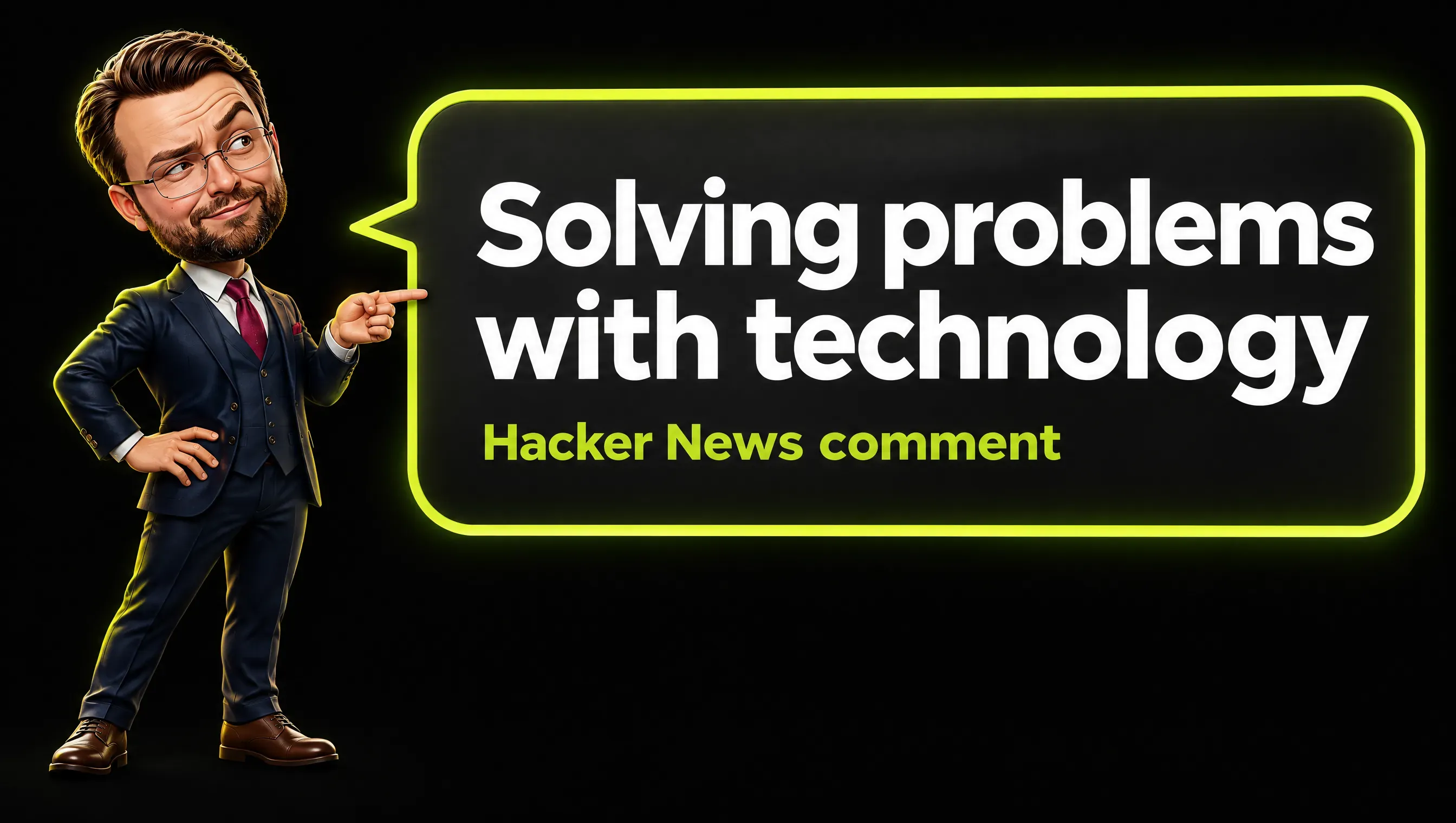
Real comment from Hacker News.
They wrote: “Since then I changed my LinkedIn headline to: “Solving problems with technology”. That’s what people care about. Not which language we use.”
Some people reach LinkedIn’s conclusion without reading the help pages. In a Reddit thread for tech sales, one answer to a question about what to put in the profile header suggests putting “Account Executive in there for maximum search compatibility”.
Do Top Profiles Write Long Headlines or Short Ones? Two Studies, Two Answers
Two 2026 studies looked at successful profiles and point in different directions. Both are from companies that publish research to promote their own services, so read them as observations, not as rules of the platform.
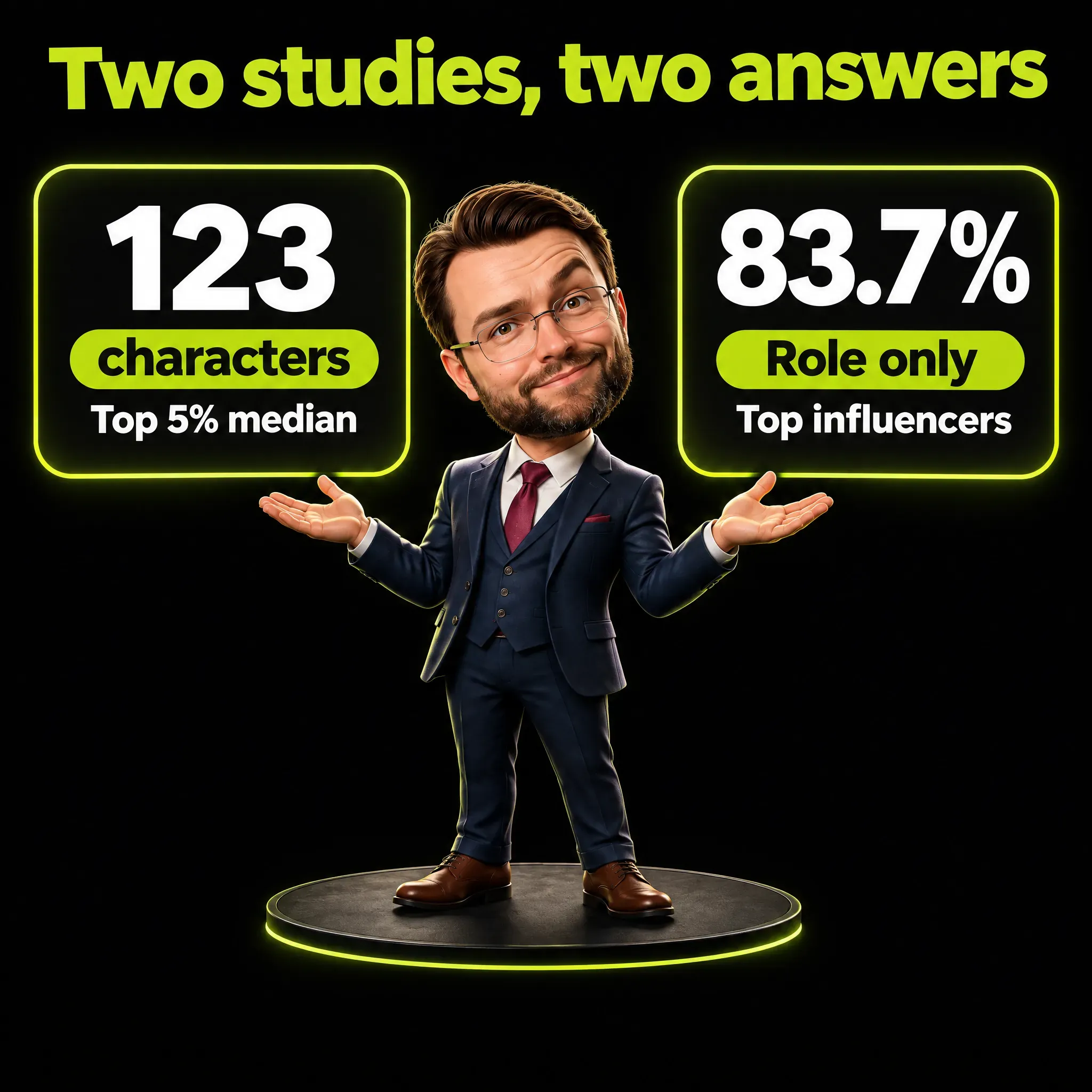
The first says longer. AuthoredUp, a LinkedIn tool, analyzed the headline length of 34,065 personal profiles. It reports a median of 99 characters across all profiles and a median of 123 for the top 5%.
It also reports that the top group uses the longest range, 181 to 220 characters, almost twice as often: 23% against 13% of all profiles. The page I read does not state how the top 5% was defined, and a correlation does not prove that a longer line makes a profile grow.
The second says role only. The agency Tenet manually reviewed 100 profiles from a list of top LinkedIn influencers. Its finding, calculated on the profiles where the headline was visible: “Role-only headlines are used by 83.7% of top LinkedIn profiles.”
The shares Tenet publishes add up to 102%, so I read the figure as more than four in five.
My reading, and it is an interpretation: a person who is already famous can write “CEO at X” because the name does the work. Someone who still has to be found and understood needs the rest of the line. Most of us are in the second group.
For length I suggest this: write the title, add the one or two things only you can say, and stop. The 38 examples above run from 61 to 107 characters, about half of the 220, and none of them needs more.
Mistakes That Waste the Line: Before and After
Here are five common mistakes, each with the weak line first and a repaired version second.
- Adjectives nobody searches for. Before: Passionate, results-driven marketing ninja. After: Email Marketing Manager | Lifecycle and retention for subscription brands.
- The same keyword five times. Before: SEO | SEO Expert | SEO Specialist | SEO Consultant | SEO Services. After: SEO Consultant | Technical audits and content plans for online stores.
- Open to everything. Before: Open to all opportunities. After: Operations Manager | Lean, inventory, 3PL | Seeking a plant operations role in the Midwest.
- A slogan in place of a title. Before: Making technology work for people. After: Backend Engineer | Elixir, Rust | Billing and invoicing systems.
- The untouched default. Before: Marketing Manager at [Company]. After: Marketing Manager at [Company] | B2B SaaS demand generation | Email, paid search, lifecycle.
The keyword pile is the one LinkedIn names. Its guidance reads: “We suggest that you use multiple keywords instead of repeatedly using the same words or phrases.”
My Own Line: Three Drafts for a Marketing Engineer
A short line is judged by what it leaves out. I learned that from one sentence about my own experience, which I corrected twice.
The first version counted years of marketing, and I removed it. The second said I had built websites since I was 12, and I removed that too, because I did not want to limit the story to websites. The version that stayed is “Digital since 12, full Marketing since 20”.
The title was a second decision. I present myself as a Marketing Engineer, and the risk of that title is that too much technical detail makes people file me under engineers. I want to be known as a Marketing Engineer who brings AI marketing ideas.
By my own rule this title has a price. Marketing Engineer is not a standard job title, so by LinkedIn’s advice it costs me searchability. I accept the trade because it is the position I want to be known for, and I put the words people do type, AI marketing and server-side tracking, right after it.
Here are three drafts built on those facts.
- Draft A (110 characters): Marketing Engineer | AI marketing, server-side tracking, AI agents | Digital since 12, full Marketing since 20
- Draft B (113 characters): Marketing Engineer | I build AI marketing systems that stay under human control | Server-side tracking, AI agents
- Draft C (159 characters): Marketing Engineer: AI marketing, server-side tracking and AI agents for companies that want numbers they can trust | Digital since 12, full Marketing since 20
Draft A puts the title first, then three topics I work on, then the true story. Draft B gives the middle of the line to a position, and Draft C says who the work is for.
All three allow one technical term, server-side tracking, which means measuring visits and sales on your own server and not only in the visitor’s browser, and keep the rest readable for a business owner. The only numbers are 12 and 20, two ages, which anyone understands.
Writing the Headline With AI Without Sounding Like Everyone Else
An AI assistant gives you the same headline as everyone else unless you hand it three facts of your own: the title a stranger would type, your audience, and one thing that is true only of you.
LinkedIn has its own tool, for a limited group. The help page on Profile Writing Assistance says: “This feature is available only to a select group of LinkedIn Premium subscribers.” If you have it, you see “Show me options” below the headline section.
Give an assistant nothing specific and it returns the average line. That is how AI slop, text produced in bulk that nobody checked, ends up under real names.
I let AI prepare drafts of my own texts, and the idea, the edits and the final check stay with me. For a headline, you supply the three facts and then you choose. The AI drafts and a person decides, which is what human-in-the-loop verification means.
How to Change Your Headline and Check Whether It Works
Open your profile, click the Edit icon in the introduction section, rewrite the Headline field and save. The change does not touch your experience entries. LinkedIn confirms that editing the headline “doesn’t change what’s listed in the Current, Previous, and Education lines in the top section of your profile.”
Checking the result takes more patience. Searching for yourself from a second account tells you little, and LinkedIn says so: “testing a query using a small number of accounts usually won’t represent how a profile appears across the millions of searches run on LinkedIn each day”.
LinkedIn points to a better signal. It writes that “a more helpful indicator of how visible your profile is can be the number of views your profile receives”. The Search Appearances page also shows the job titles you were found for.
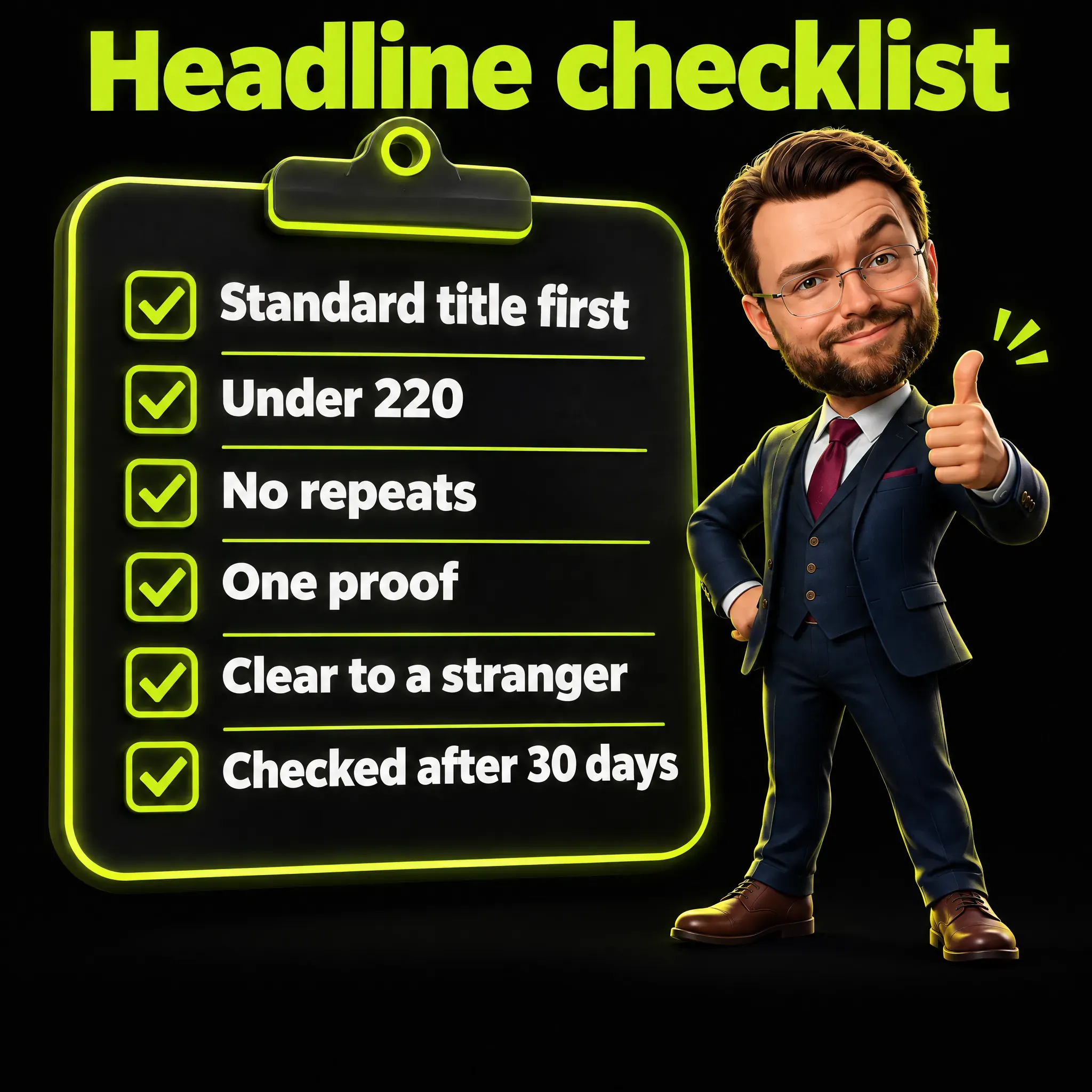
I suggest a plain routine. Note your profile views and the titles you were found for, change only the headline, and compare after 30 days. Treat the result as a rough signal, because views also move when you post, comment or apply more than usual.
If you post during those 30 days, write about your own work week. My LinkedIn post ideas start from five sources, such as a question you were asked or a mistake, and give 30 starting points with example openings.
Frequently Asked Questions
What is the best LinkedIn headline for job seekers?
The title of the role you want, written the way recruiters search for it, followed by two or three skills and your availability. LinkedIn notes that skills are among the most common queries by recruiters and hiring managers. Example: Operations Manager | Lean, inventory, 3PL | Seeking a plant operations role in the Midwest.
What is a good headline for a CV?
The same idea in fewer words: your role plus your specialty. A CV (or résumé) headline and a LinkedIn headline do the same job, but on LinkedIn you have 220 characters and the line is searchable. Start from the CV line and extend it.
What is the 4-1-1 rule on LinkedIn?
It is not a LinkedIn rule and it has nothing to do with the headline. It is a content-mix rule of thumb credited to Andrew Davis of Tippingpoint Labs and Joe Pulizzi, first written for Twitter: for every self-promotional update, share one repost and four useful pieces from other people. Later versions change the details.
Who are the best LinkedIn profiles?
There is no official ranking. A 2026 review of 100 top LinkedIn influencers by the agency Tenet found that more than four in five use a role-only headline. My reading is that people who are already known can afford that, and everyone else benefits from a fuller line.
How many characters can a LinkedIn headline have?
220, according to LinkedIn’s Talent Blog. The help page gives no limit, and the figure of 240 on the mobile app is not documented by LinkedIn.
Does the LinkedIn headline affect search?
It is displayed in search results and it is part of your profile text. LinkedIn does not publish how much weight it carries. It recommends standard job titles and skills, and it warns that an over-optimized profile can be affected by spam detection.
The Line in One Sentence
Good LinkedIn headline examples share one structure: the title a stranger would search for, then the part that title does not say. Write yours with one of the eight formulas, keep it under 220 characters, and check after 30 days which titles you are found for. The headline is one step of a larger job, and my LinkedIn profile optimization checklist covers the rest.
I write about marketing, AI and the systems behind them. If this was useful, follow me on LinkedIn.