Server-Side Tracking: What It Changes and What It Does Not
Server-side tracking gives you control over your data, not consent a visitor refused. What it changes, what it costs, and how to test it without polluting data.

In October, a test told me that a client’s tracking lost every event once a visitor accepted cookies. The test was wrong.
Server-side tracking means your website’s measurements travel through a server you control before they reach Google, Meta and your other ad tools. Without it, each visitor’s browser sends them to each tool directly.
This article is for the person who decides and pays, not the person who configures. It covers what the server changes, what it leaves untouched (consent above all), what it costs, when I suggest it, and how to test it without polluting your data. The last section has a short technical part for whoever configures it.
Prices and quotes come from official pages I read on November 4, 2026, or from my own client work. Where a figure is my estimate, I say so.
Key Takeaways
- Server-side tracking is a sorting room. Your site sends measurements to a server on your domain, and the server decides what goes to which tool.
- It adds control, not consent. A visitor who said no is still a no, and the server honors that choice only if it is set up to.
- It works alongside the browser tag. Clicks, scrolls and forms are still collected in the browser.
- The bill is fixed and recurring. Google’s own pages disagree on how many servers you need, 2 or 3, so ask how many servers, which region and which logs.
- For a small site without ads it rarely pays. My rule: consider it only when every condition holds, starting with a measured technical loss.
- Prove it with a signal that arrives at the destination. “I see nothing in the log” does not mean “nothing was sent”.
The Test That Said “No Events” and Was Wrong
I was testing the server-side setup on a client’s site. After the visitor pressed “accept all”, my page-level checks showed that the event tags sent nothing. The report said: no events.
I concluded that the setup was losing events. A list of hard criteria I had written beforehand said a failing version must not stay live, so I withdrew the version I had published about an hour earlier.
The conclusion was wrong. After consent, a service worker sent the measurements to the server and on to Google Analytics 4. A service worker is a small program the browser keeps alive in the background, and here it sends the data in place of the page. Tools that watch only what the page sends do not see it by default.
What corrected me was a check that did not depend on the first one. I sent a test event with a name nobody had used before and looked for it where it had to arrive, in the Realtime report of Google Analytics 4. It was there, together with the other test events I had sent that day, 33 in all. Every one was mine, none was a real contact.
So I changed the test, not the setup. I republished the version after verifying it with a real click, and the test method is in the last section. The lesson for anyone who commissions this work: ask for proof at the destination, not for the absence of errors in a log.
What Server-Side Tracking Is: A Sorting Room on Your Domain
Think of the usual setup as a visitor posting a separate letter to Google, to Meta and to every other tool, each with its own address. With server-side tracking the browser posts one letter to a sorting room on your own domain. The sorting room decides what to forward, and to whom.

Google describes it in nearly the same terms in its introduction to server-side tagging: “a server container doesn’t run in the user’s browser or on their phone. Instead, it runs on a server that you control.” It adds: “The server receives web requests from the user’s device and transforms those requests into events.”
Google’s version is called server-side Google Tag Manager, or sGTM. You can host it yourself on Google Cloud, or rent it from a managed service such as Stape. The cost section compares both.
One point catches people out: the server does not replace the tag in the browser. Google’s course asks “Does server-side tagging replace client-side tagging?” and answers “The answer is no but it can greatly complement and improve the work done by client-side tags.” The server container “has no access to what happens on a web page or an app.”
So clicks, scrolls and form submissions are still collected by a tag in the browser, and the server only sorts what the browser hands over. The server is one part of your wider marketing tech stack, and it only pays when it solves a measurement problem you can name.
What Changes When the Data Goes Through Your Own Server
Google states the aim in its course: “Server-side Tag Manager is designed to give you more control over the data collected from your users. It acts as a buffer between the user and the vendors to whom the data is dispatched.” Three things follow.
- You control what leaves. In a browser setup, “It’s difficult to control what information gets processed. For example, the IP address of the user is always broadcasted in communications to vendor servers.” With a server, “The vendor only sees a request from the server, not from the user’s browser or device.”
- You can remove or mask data. Google says you can “validate, parse, anonymize, or even block HTTP requests” before they go on.
- You can add what the browser must not hold. Server-side processes “can be used to enrich the data with information that should not be exposed to the browser”, such as the margin on an order.
Google promises control. I found no figure for recovered conversions in its pages. Vendor material does quote gains, but not from controlled comparisons, so I leave those numbers out.
A fourth change, longer-lived cookies, has its own section below, because it comes with a condition.
What Server-Side Tracking Does Not Change: Consent
Server-side tracking does not turn a refusal into a yes. Google’s consent mode documentation says it plainly: “Consent mode doesn’t provide a consent banner or widget.” It works with the banner you already have.
The banner decides and the tags adapt. In the basic version, “you prevent Google tags from loading until a user interacts with a consent banner.” In the advanced version the tags load, and when a visitor denies consent, “consent-aware tags don’t store cookies”. They send cookieless pings instead. Google lists what such a ping carries: a timestamp, the browser type, the referring page, whether the link carried ad-click information, the consent state and a random number.

Where does the server fit? My reading of Google’s documentation is that the server is where consent choices are applied, not a way around them. In the setups I build, consent is set in the web container (the Tag Manager workspace that runs in the browser) and the server tags respect it. A visitor who refuses can still send those pings, and nothing forces a badly configured server to honor the refusal. It does so only if it is set up to.
Privacy does not disappear either. You add a company that processes your visitors’ data, so you need a data processing agreement with it and an updated privacy notice. One more fact is plainer: if the browser never sends an event, the server never sees it.
For Swiss sites there is a further layer. Google extended its consent policy: “From July 31, 2024 Google is expanding the scope of our EU User Consent Policy to apply to users in Switzerland.” The Swiss data protection authority has published guidelines on data processing using cookies, in version 1.1 of October 6, 2025.
For sites with a Swiss owner my rule has two levels: statistics can be opted out of, while advertising and profiling need a yes, in line with Google’s consent policy for Switzerland. A server changes none of that. Which level a measurement falls into is a legal question, and my checklist for tracking consent in Switzerland gives the checks and the sources; it is not legal advice. The same logic appears in email, where a tracking pixel is also a request to a server, and I cover those rules in email tracking pixel rules in Europe.
Safari and Cookie Lifetime: Longer, but Not Automatically
Safari limits how long cookies live, through a feature called Intelligent Tracking Prevention (ITP). WebKit’s tracking prevention page says: “ITP deletes all cookies created in JavaScript and all other script-writeable storage after 7 days of no user interaction with the website.” The 7 days count days of Safari use, not calendar days. When a visitor arrives from a site that ITP classifies as a tracker, through a link carrying tracking parameters, the cap is tighter: ITP “caps the expiry of cookies created in JavaScript on the landing webpage to 24 hours.”
A cookie set by your server in its response is treated differently. WebKit’s table shows no cap for it, unless Safari detects “third-party CNAME cloaking and third-party IP address cloaking requests”, in which case the cap is 7 days. Cloaking means that a name on your domain is, behind the scenes, an alias for another company’s server. By that definition, a subdomain that is an alias for a managed service could fall under the rule, which is one more reason to test.
Google is more optimistic about its own product. Serving from your own domain is, in its words, a best practice that brings the security and durability benefits of server-set cookies, and its table gives a subdomain “Full access to security and durability benefits.” On the default domain, the server-set cookie access is “None. Can only set Javascript cookies.” WebKit’s rules are the reason the benefit is not automatic.
Some vendor blogs go further: a subdomain that points to a different IP address than your site can still be capped at 7 days. WebKit’s page does not define that rule, so I treat it as something to test.
My conclusion for a decision maker: a server-side setup can make cookies last longer in Safari, but not automatically. It depends on how the subdomain is connected, and I suggest testing it in Safari on your own site before you count on it.
What Server-Side Tracking Costs: Rent It or Run It
Google’s own pages give close figures for one server, but they disagree on how many servers to run. Its setup guide says “each server costs approximately $45 /month (USD)” and recommends “a minimum of 2 instances”. Its overview says “you can expect to spend $30-$50 per server per month” and recommends “a minimum of 3 instances per container”. Its course says “The price is approximately USD 50 per instance per month.”

Here is my own calculation in three steps, using the unit prices on Google’s Cloud Run pricing page:
- One server with 1 vCPU (one virtual processor core) and 0.5 GiB of memory, running all month, is 2,592,000 seconds. That means 2,592,000 vCPU-seconds and 1,296,000 GiB-seconds, the units the page charges by.
- At 0.000018 USD per vCPU-second and 0.000002 USD per GiB-second, that is 46.66 plus 2.59, about 49 USD per server.
- With the recommended minimum of 2 or 3 servers, the bill becomes about 98 or 148 USD a month, before a free tier worth roughly 5 USD.
The pricing page mixes regions, so read these as orders of magnitude. My own cost sheet from October 9, 2026 shows a fixed minimum of 95 to 140 USD a month, which is close to that range.
The lesson is not the number. Before you sign anything, ask how many servers the quote assumes, in which region, and with which logs.
The hosting bill is not the whole bill. Google warns that “Network egress can become a cost factor if your server-side tagging endpoint serves larger resources or JavaScript libraries.” Egress is the data leaving your server. It also warns that “Once you collect enough requests to surpass the free tier of Cloud Logging, the cost of storing logs can become substantial.” Cloud Logging is Google’s service that stores the server’s logs, the diary of what it received. And someone has to look after the server: my cost sheet assumes about 3 hours a month.
The alternative is a managed service. On the Stape price page, read on November 4, 2026, the free plan covers “Up to 10K requests”. Pro costs 17 USD a month with an annual plan and 20 USD without one (the second figure from the sign-up link), for “Up to 500K requests”, and keeps 3 days of logs. Business is 83 USD with an annual plan and 100 USD without one, for “Up to 5M requests”.
Plans are counted in requests, not events. In my experience, script loads and bots count as requests too, so a plan fills faster than the events in GA4 suggest. A disclosure: Stape runs a partner program with recurring commission, so check my figures against its public price page instead of taking my word for them.
When Server-Side Tracking Pays, and When It Does Not
My rule is simple to state: consider server-side tracking only when all of these hold. The thresholds are my estimates, built from vendor and cost figures, not measured on a client.
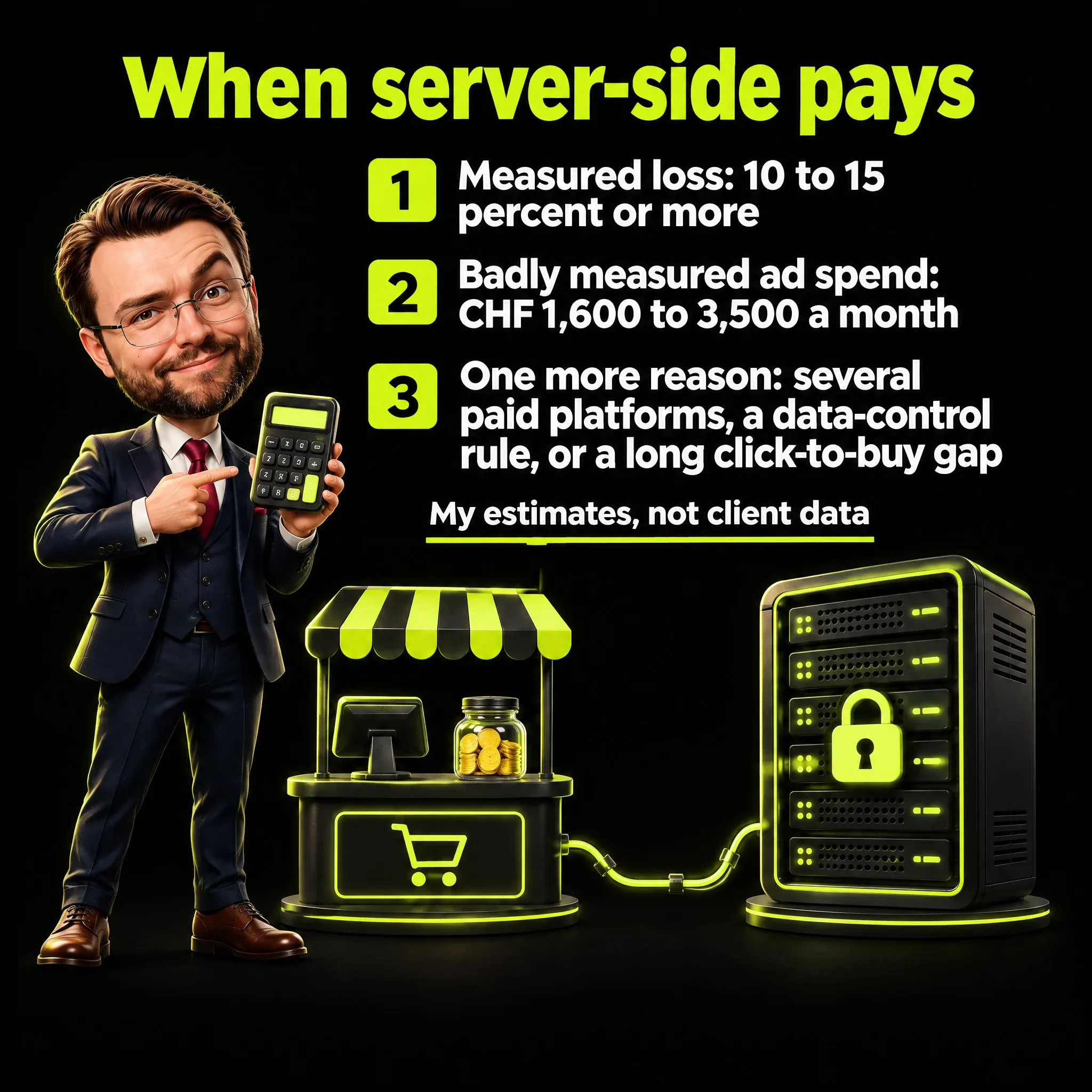
- A measured technical loss of at least 10 to 15 percent, separate from consent: fewer than about 85 sessions in Google Analytics for every 100 ad clicks, once the consent settings are stable.
- Badly measured ad spend of at least CHF 1,600 to 3,500 a month, meaning the part of your spend whose results you cannot see properly.
- At least one more reason: two or more paid platforms with enough events (my working figures are about 50 events a week per ad set for Meta, an ad set being a group of ads with its own audience and budget, and about 30 conversions a month for Google); a written requirement from your company or its data protection officer to keep control of the data; or a long gap between click and purchase, over 7 days, together with Safari at 30 percent of traffic or more and a server address on your own domain.
Where does the second number come from? Step one: the all-in monthly cost on the cheapest route is about CHF 315 to 350. That is 17 to 50 USD for a managed plan or one server (counting 1 USD as about 1 CHF), plus about 3 hours of someone’s time at an assumed CHF 100 an hour. Step two: I want the badly measured spend to be 5 to 10 times that bill, because only part of the lost conversions can be recovered. That gives CHF 1,575 to 3,500, rounded to 1,600 to 3,500. Step three: below that spend, the bill is too heavy for what a server can win back.
With Google’s recommended minimum of 2 or 3 servers, hosting alone is 95 to 140 USD, the all-in bill is about CHF 395 to 440, and the same two steps move the threshold to about CHF 2,000 to 4,400.
Take an illustrative shop, with rounded figures: about 1,000 ad clicks a month at about CHF 1 a click, a conversion rate of about 0.5 percent and an average order of CHF 100. Step one: 1,000 clicks at 0.5 percent is about 5 orders. Step two: assume, as an estimate, that 3 to 5 of every 100 clicks are lost for technical reasons. Step three: that is 0.15 to 0.25 orders a month missing from the reports, not from the sales, or CHF 15 to 25 a month. Against a fixed bill of CHF 315 to 350, and a spend of CHF 1,000 that sits below the threshold above, it is not worth it.
Lost conversions matter more where the spend is large, because under-counted conversions make your reported customer acquisition cost look worse than it is. A server can still help a small site in other ways: control of what leaves (removing personal data, hosting in the EU or Switzerland, one place to apply consent) and stability for visitors who accept, such as cookies set from your own domain.
What I suggest first, in order of return:
- Diagnose the purchases that show zero in your ads.
- Check order truth from the shop once a week: compare the orders in your shop with the orders your ads report.
- Fix the consent setup and the banner design, which decide how many visitors can be measured at all.
- Add a cookieless counter, a visit counter that sets no cookies, as a cross-check on the totals.
- Use enhanced conversions, where Google matches a coded form of a customer’s email to the ad click, or Meta’s Conversions API, where your server reports the sale to Meta directly.
Most of these cost hours, not a monthly fee. Judge each fix by what it protects, the way you would judge any marketing ROI question.
How to Test Server-Side Tracking Without Polluting Your Data
A server-side setup can answer “200 OK” and still lose the event. If you commission the work, ask for three things:
- A test that cannot touch your real data. The test runs in a closed room, so no test traffic reaches your reports.
- A signal nobody has used before. The test fires an event with a unique name and finds it where it must arrive, in the Realtime report of Google Analytics 4. That is the positive proof at the destination.
- Pass-or-fail criteria written before you publish. If one fails, the previous version goes live again.

Whoever configures the setup needs the detail. These are the rules I test with, each one checked on a real site:
- Test in a closed room. Serve the service worker from local files and tell the browser the real server does not exist, so no test traffic reaches your real data.
- Tag your test visits. I add a campaign source such as
sgtm_qaand use a normal browser identity, because GA4 discards headless browsers (browsers that run without a screen) as bots. - Copy consent codes from the live site. A
gcdconsent parameter typed by hand, without the suffix real ones carry, can be read as “denied”: the server answers 200 and the event never arrives. The relatedgcsparameter readsG100when consent is denied andG111when it is granted, as seen on a live site. - Set the criteria before you publish. Mine: no measurement cookie and no server-set cookie before consent, no direct measurement call to google-analytics.com, 200 responses from the server’s domain,
G111after “accept all”, and the event visible in GA4. - Filter by host name in real reports. In GA4 that is the
hostNamedimension, the address where a visit was recorded. And never send plausible values to endpoints that count.
Google’s own debug tool covers half of this. The server-side preview and debug mode “allows you to inspect incoming HTTP requests from your website or app and understand how they are processed.” That shows what the server received. It does not show that the destination received it, which is why you need both proofs.
It is the same principle I apply to AI agents: a check that does not depend on the thing it checks. I wrote about it in AI marketing agents and in human-in-the-loop AI verification. The practical result is that test visits are labeled, so they can be filtered out of the numbers a client sees, which matters when the next step is a report. I describe how I handle that in marketing report.
Five Questions Before You Approve Server-Side Tracking
- What problem does it solve for us: technical loss, control, or governance?
- How many servers or requests does the quote assume, in which region, with which logs?
- Which consent level does each measurement fall into, and who updated the privacy notice and the data processing agreement?
- What is the proof at the destination, and who runs it?
- How does the all-in monthly cost compare with the spend it protects?

The fifth question settles most cases. If you can put a number next to it, you are ready to decide.
Frequently Asked Questions
What is a server-side tag? A tag that runs in the server container (the server’s version of a Tag Manager workspace) instead of in the visitor’s browser. It works like a browser tag, with the same triggers and variables, and it receives events from a “client” that turns a request into an event. Google puts it this way: “Tags, triggers, and variables in a server container work exactly like they do in other kinds of containers”.
What is sGTM? It is server-side Google Tag Manager. You host the container on a server you control, such as Google Cloud Run, and your site’s measurements reach it before they reach Google, Meta and the other tools. It complements the web container and does not replace it.
How do you check communication between two servers? With two proofs, and you need both. The server preview shows what the server received. A test event with a unique name, searched for in the Realtime report of GA4, shows what arrived. The browser log alone is not enough, because a service worker does not appear in tests that watch only the page.
What is Google Tag Manager used for? To manage the measurement and advertising tags of a site from one interface. Google describes it as “a tag management system that allows you to set up and manage tags on your site without changing your website’s code.”
Does server-side tracking get around cookie consent? No. Consent mode adapts how tags behave to the visitor’s choice, and Google lists acknowledging cookie consent among the jobs of the server container. For Swiss sites, my two-level rule in the checklist still applies.
How much does a server-side tagging server cost per month? It depends on the route. A managed service starts at 0 USD up to 10,000 requests and 17 to 20 USD up to 500,000 (read on November 4, 2026). On Google Cloud Run, Google quotes about 45 to 50 USD per server, and its recommended minimum of 2 or 3 servers means roughly 90 to 150 USD a month, plus logs, traffic and the time of whoever maintains it.
Is server-side tracking worth it for a small site without ads? In general, no. Without ad spend to protect, the fixed bill exceeds the benefit. I suggest fixing the consent banner and checking order truth first.
Does a server cookie last longer in Safari? It can last longer than the 7 days of cookies written by JavaScript, but not automatically. It depends on how the subdomain is connected, so test it in Safari on your own site.