How to Vibe Code: The Marketing Tools I Shipped Without a Dev Team
How to vibe code as a marketer. I shipped real internal marketing tools with no dev team. Here is the stack, the real cost, and the limits I refuse to cross.

You came here to learn how to vibe code. Before you do, know what you are signing up for. I am a marketer, not a developer, and I have shipped four working internal tools with no dev team. This is how, what it cost, and where I stop.
Vibe coding is describing software in plain English and letting an AI write the code. You steer. The model types. You never open a textbook. The term is hot right now, and like every hot term, it is being stretched to sell courses.
Most of what you will read about it comes from two camps. Engineers who already know how to code, explaining why the new thing is dangerous. Or vendors explaining why the new thing is magic. I am in neither camp. I am a practitioner who builds tools because waiting for a dev ticket turns small tasks into quarterly projects.
Key Takeaways
- You do not need to be a developer. You need taste, a stack you can explain, and rules you refuse to break.
- The term oversells the ease. Vibe coding is real, but the actual work is reviewing AI output hard enough to trust it in production.
- I shipped four working tools with no dev team: a task dashboard, a lead-attribution kit, a content ingestion service, and a 900-page directory.
- The real cost is not the subscription. It is your attention at review time, and the hours you burn when you skip it.
- Three rules are not optional: never store credentials in plaintext, never feed client data to a model, always review before you deploy.
Vibe Coding for Marketers Is Not What You Think
The vendors will tell you vibe coding means shipping the next great app. They show a marketer launching a SaaS product in a weekend. That is the fantasy version, and it is aimed at your credit card.
For a marketer, vibe coding means something smaller and more useful. It means building the internal tools nobody will prioritize for you. A dashboard that tracks tasks across five projects. A script that attributes leads to the right source. A service that turns RSS feeds into clean articles. A directory that lists hundreds of exhibitions.
You are not building a product to sell. You are building the machine you need to do your job. That distinction transforms everything, because internal tools have two forgiving properties. First, the user is you, so the stakes are lower and the feedback loop is instant. Second, nobody audits your code. The only judge is whether the tool works when you need it.
Here is the part the hype misses. The bottleneck in vibe coding was never writing the code. It was always knowing what you want, in enough detail that a machine can produce it. A vague request produces vague code. A precise request produces a working tool. The skill you are learning is how to specify, not how to type.
That is the real gap between the fantasy and the receipts. Courses sell the typing. The work is the specifying. And the specifying is a marketing skill you already have, because it is the same muscle you use to brief a freelancer or write a creative brief.

How to Vibe Code: The Exact Flow I Use, Step by Step
This is the process I follow, refined across the tools in the next section. It works whether your model is Claude, ChatGPT, or whatever comes next. The model changes. The loop does not.
Step 1. Start from the pain, not the tool. Write down the task that is eating your time. Not the software you imagine. If the task is “I lose twenty minutes a week manually checking five dashboards”, that is the brief. The tool is the answer, not the question. Build from the pain and you will use the result. Build from a cool idea and you will abandon it in a week.
Step 2. Write the spec in one paragraph. Describe what the tool does, what it takes in, what it gives back, and what it must never do. One paragraph. If you cannot fit it in a paragraph, you are not ready to build. The paragraph is the contract. The model follows it, and you hold it against the result. Once you build more than one tool, keep the standing rules in a short instruction file. What belongs in it is covered in CLAUDE.md best practices after Claude 5.
Step 3. Cut it to the smallest working slice. Take the paragraph and reduce it to one thing the tool must do first. Build that. The slice for my task dashboard was a single page that lists open tasks. Not five views, not alert rules. One list. A small slice that works today beats a big design that works never.
Step 4. Let the model build it, file by file. Ask for small, reviewable pieces. A single file, or a single function. When you ask for everything at once, the model builds everything at once, and you get a mess you cannot audit. Small pieces keep the review honest, and the review is the whole job.
Step 5. Run it and read the errors. This is where most people quit, and where the learning happens. The error message is the model asking you a question. Read it, paste it back, and let the model explain it in plain English. Repeat until it runs. Every loop teaches you what the model is doing, which is the skill you are here for.
Step 6. Add tests for the parts that matter. You do not need a test suite for a throwaway script. You need one for anything that touches real data or runs without you. My task dashboard shipped with 34 tests, and they caught 3 real bugs before they reached production. The tests are the line between a tool and a liability.
Step 7. Review before you deploy. Open the file the model wrote. Read it. Not line by line like an engineer, but enough to answer one question: do I understand what this does? If the answer is no, you are not deploying. You are gambling. The model is a fast typist with no judgment. The judgment is yours, on every file.

Four Internal Marketing Tools I Shipped Without a Dev Team
These are real. Not demos, not side experiments that died after a weekend. Tools I use, and the receipts behind each one.
The Nexus. A Python task dashboard with zero dependencies. Five views, seven alert rules, an SSE watcher for live updates, and atomic file writes so a crash never corrupts state. Thirty-four tests. Three real bugs caught before they shipped. This is the tool that killed my twenty-minutes-a-week dashboard ritual, and it started as the single list from Step 3.
A lead-attribution kit. Forty-four attribution vectors, tracking where a lead came from across channels. It runs in Node and PHP, both green, so it drops into a project regardless of what that project is built on. Attribution is the kind of boring plumbing that never gets a dev ticket, because it is invisible until the numbers are wrong. Now it is mine, and the numbers are right.
A Corpus RSS-to-articles ingestion service. It pulls feeds, cleans the content, and turns them into usable articles. One hundred sixty-one tests, all passing. This is the one that taught me the value of the test step, because the first version failed silently on malformed feeds and I only noticed a week later. The passing suite is not bragging. It is the scar from that week, turned into a guardrail.
A 900-page AI exhibitions directory on Astro. A static site generated from data, listing hundreds of exhibitions across cities. Astro did the heavy lifting on performance. The model did the data shaping. The result ranks, loads fast, and costs almost nothing to host. Nine hundred pages by hand would have taken a month. By vibe coding, it took a few evenings of review.
The pattern across all four is the same. Small scope. A stack I can explain. Tests on the parts that touch real data. And a hard review before anything goes live. None of them required a day of formal study. All of them required that review step, every time.

The Stack That Actually Works (And What It Really Costs)
People ask what stack to use. Here is mine, and it is boring on purpose. Boring is a feature, because boring is what a model writes cleanly and you can explain to a developer later.
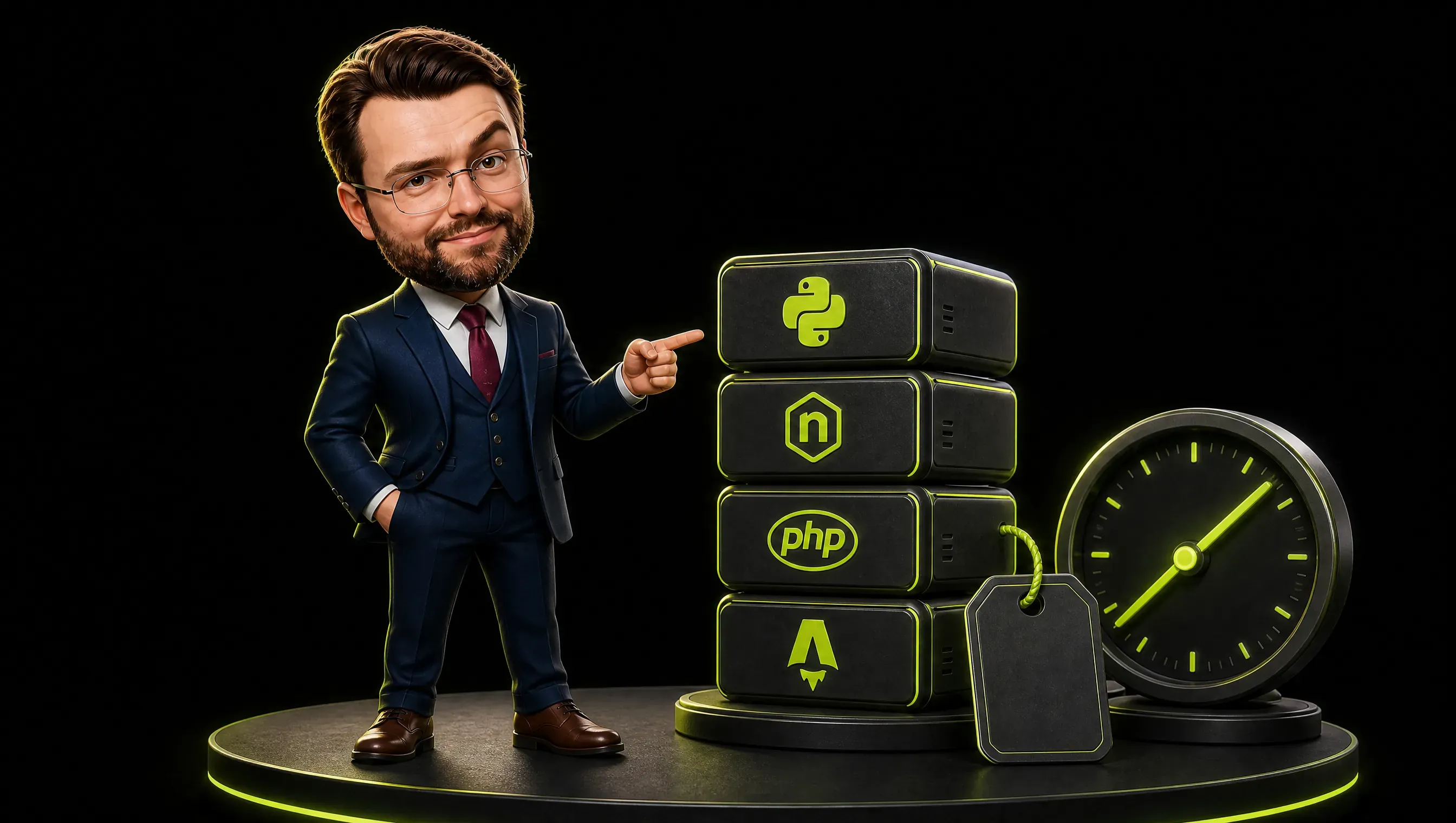
For scripts and internal tools, Python. It reads like English, has a library for everything, and a model writes it cleanly. The Nexus is Python with zero dependencies, which means there is nothing to break when you move it. That choice was deliberate: the fewer things a tool depends on, the fewer things a future you has to fix.
For anything that lives in a website, Node and PHP both work, which is why the attribution kit ships in both. Match the tool to what the site already runs on. Do not introduce a new runtime for a tool that could run on the one you have.
For static sites and directories, Astro. It is fast, simple, and the model knows it well. The exhibitions directory is Astro, and nine hundred pages render in a fraction of a second.
Now the cost, because the pricing page never tells you the real one. The subscription is the small line. My own AI subscription runs about 200 a month for heavy use. A power user pushing every tool to its limit runs 400 to 600. The expensive line is different. It is the hours you spend reviewing output, and the days you spend fixing what you skipped. There is no tool that removes the review. Anyone who sells you one is selling the fantasy version again.
If you want the full map of what else I run, I wrote it up separately. Here is my marketing tech stack.
Vibe Coding Examples: One Win and One Expensive Mess
Let me show you both sides, because a list of wins without the mess would be dishonest. The wins are real. So is the bill when you skip the rules.
The win. The Nexus started as a single list of open tasks. That was the whole thing. It worked the first day, which gave me the confidence to add a second view, then alert rules, then the SSE watcher. Each slice shipped small and reviewed. The tests came later, after I had used it long enough to know what mattered, and they caught three bugs I would have shipped by hand. That is the whole method in one tool: start small, review hard, let the tests grow as the tool grows.
The expensive mess. Early on, I asked a model to restructure a script that touched real data, let it run, and did not read the diff. It worked in the demo and failed in production, and I burned the better part of a day tracing what it had changed. The lesson was not that vibe coding is dangerous. It was that the review step is not optional, and skipping it is never cheaper. The fix was the same review step I now treat as a hard rule.
The mess was my fault, not the model’s. The model did exactly what a fast typist with no judgment does: it produced something that looked right and was not. I wrote about the deeper version of this failure before, the one that sinks whole AI projects at companies. They fail in four predictable ways. Most of them are the same mistake at scale: treating the model’s output as finished.

Vibe Coding Security: The Rules I Refuse to Break
This is the section the course sellers skip, and it is the one that matters most. Vibe coding security is not a feature you bolt on later. It is a set of rules you follow before you write a single prompt.
Never store credentials in plaintext. No API keys in the script. No passwords in a config file you commit. Use an environment file or a secret manager, and keep it out of version control. A model will happily write you a script with the key pasted in if you let it. Do not let it. This rule has no exception, not even for an internal tool that “only I use”.
Never feed client data to a model. Customer lists, revenue numbers, unreleased product specs, anything that would embarrass you in a breach. None of it goes into a public chat. If the data would be a problem in a stranger’s hands, do not paste it into the chat of one. My employer forbids frontier models for company data, and that is not backwardness. It is the only defensible default.
Always review before you deploy. The model does not know your production environment. It does not know which file is load-bearing. It writes code that works in isolation and breaks in context. The only person who can catch that is you, reading the diff. Skipping this step is how the expensive mess in the last section happened.
There are three more I treat as law. Keep a backup of anything the script touches. Run new tools on a copy of the data first, never on the live file. And if you do not understand a block of code, do not run it, no matter how confident the model sounds. Confidence is not correctness. I covered that particular ugly truth in detail in my piece on ChatGPT for marketing.

How to Learn Vibe Coding Without Wasting Six Months
Do not buy the six-month course. You do not need it, and most of it is padding around the seven steps above. Here is the path that worked, compressed into three milestones.
Build one small tool for yourself this week. A script that renames files, a page that lists your open tabs, a form that emails you a summary. The goal is not the tool. It is finishing a loop: request, run, read the error, fix, run again. That loop is the whole skill. Everything after it is repetition at higher stakes.
Make the second tool touch your real work. Automate something you do by hand. A report you assemble, a list you update, a notification you check. Now the stakes are real and the feedback is instant, which is exactly what you need to learn the review step. The second tool is where the fantasy dies and the discipline starts.
Add tests to the third one. By the third tool you will have felt the pain of a silent failure. That pain is the best teacher for why tests exist. Add a few for the parts that touch data, and watch how differently you treat the model’s output after. The tests are not about engineering purity. They are about not getting burned twice.
You can learn the loop in a weekend. The judgment, the part that knows when the output is wrong, takes months of real tools failing. The good news is that the failing is the curriculum. The bad news is that it happens on your time. There is no shortcut past it, whatever the course says.
When to Stop and Call a Developer (And How to Know)
Vibe coding has a ceiling, and the honest part of this article is telling you where it is. I have built things with no dev team. I have also handed things back and said, this one is yours. The line is not about skill. It is about blast radius.
Do it yourself when the tool is internal, you are the only user, the blast radius is your own afternoon, and you can fully explain what it does. A dashboard, an attribution script, an ingestion service, a static directory. All of these qualified. The failure mode is a lost hour, not a lost customer.
Call a developer when the tool touches customer data at scale, handles payments, faces the public internet, needs to be secure against people trying to break it, or has to run when you are not watching. A checkout flow. A customer portal. Anything where a bug means losing money or leaking data. Those are not vibe coding projects. Those are engineering projects.
There is a third category, and it is the one nobody talks about. The moment you are the bottleneck, because the tool you built now matters to other people. If three colleagues depend on your script and it breaks on a Sunday, you are not the internal tool hero anymore. You are the single point of failure. That is the signal to hand it to a developer with proper tests and proper deployment.
The test I use is simple. Ask what happens when this breaks at the worst possible time. If the answer is “I lose an hour”, build it yourself. If the answer is “someone loses money or data”, call the developer. Everything else is scheduling the pain.
How to Vibe Code: My Verdict After Two Years
After two years of building this way, here is my verdict on how to vibe code. It is the most useful skill I have added to my marketing work in a decade, and the most misunderstood.
It will not make you a developer. It will make you dangerous in the best way: able to ship the boring tools that move your work forward, without waiting for a ticket that never comes. The four tools I described saved me weeks of manual labor, and none of them required a single day of formal study.
The people who get hurt by vibe coding are the ones who skip the review, paste secrets into chats, and let the model run free on production data. The people who thrive are the ones who treat the model like a fast typist with no judgment. You still make every decision that matters. You make the same decisions, ten times faster.
I have written the longer version of what two and a half years of daily AI use taught me elsewhere. This article is the build side of the same story. Start with a tool that solves a real pain. Slice it small. Test the parts that touch data. Review before you deploy. That is the whole method, and it is yours for the price of a weekend.
If you want to see the far end of AI-assisted building, a small team just shipped twelve open source apps in nine days. I audited the code to see what holds up.
Frequently Asked Questions
Do I need to know how to code to vibe code?
No. You need to be able to describe what you want in plain English, read an error message without panicking, and think in small steps. Everything else the model does. What you do not get to skip is the judgment: knowing when the output is wrong, and checking before you trust it.
Is vibe coding safe to use at work?
Only under rules. Never store credentials in plaintext. Never feed client or company data to a public model. Always review before you deploy, and run new tools on a copy of the data first. If your employer forbids frontier models for company data, that policy exists for a reason. Respect it.
What is the best tool to start vibe coding?
The one you already pay for. The skill transfers across models, so start with whatever you have, pick a small internal tool, and finish the loop: request, run, read the error, fix, run again. The tool matters less than the review habit. That habit is the entire difference between a tool you trust and a liability you ship. That loop, not the tool, is how to vibe code.